UARP
1. UARP
FW_VERSION_MAJOR_NUMBER FW_VERSION_MINOR_NUMBER FW_VERSION_REVISION_NUMBER.Note
An 8Mb flash is required to support UARP upgrades.
2. FMCA Installation and Configuration
Install the FMCA application
Download and install the FMCA application from the Apple App Store.
Install the FMCA Configuration profile
Download FMCA Configuration Profile.zip from the Apple MFI official website. After decompression, place the config file in the iOS phone folder. Click on the description file, then go to the settings page and click to install. After installation, you need to restart your iOS phone.
3. Create an Upgrade Package Using the UARP Tool
The creation tool is mfigr2. Place the upgrade firmware bk3633_findmy_stack_oad_rbl.bin and the mfigr2 tool in the same directory.
Open the Mac terminal, navigate to the directory mentioned above, and execute the following commands to generate intermediate files:
./mfigr2 superbinary generate mfiMetaData=UARPMFiMetaDataTable2.plist
./mfigr2 superbinary generate mfiPlist=MyUARPSuperBinary.plist
Open the MyUARPSuperBinary.plist file and modify the relevant information:
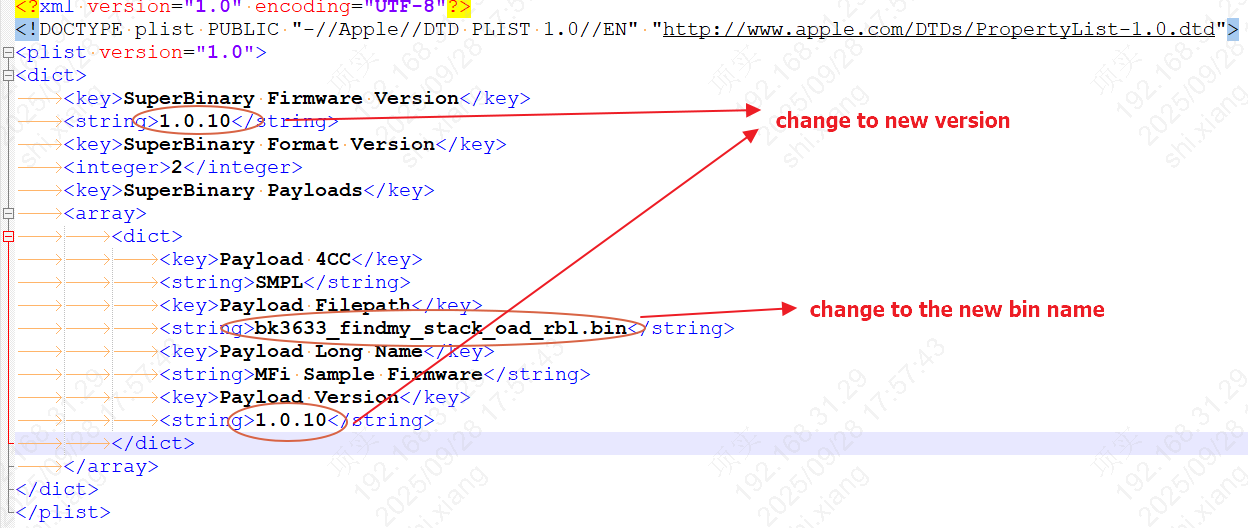
Config
Execute the following command to generate the UARP upgrade package:
./mfigr2 superbinary compose metaDataFilepath=UARPMFiMetaDataTable2.plist payloadsFilepath=. plistFilepath=MyUARPSuperBinary.plist superBinaryFilepath=xxx.uarp
Send the generated xxx.uarp file to your iOS phone.
4. UARP Upgrade
After adding the device via “Find My”, open the FMCA app, go to “Firmware Settings”, and select the UARP file to be upgraded via “Choose a File”.
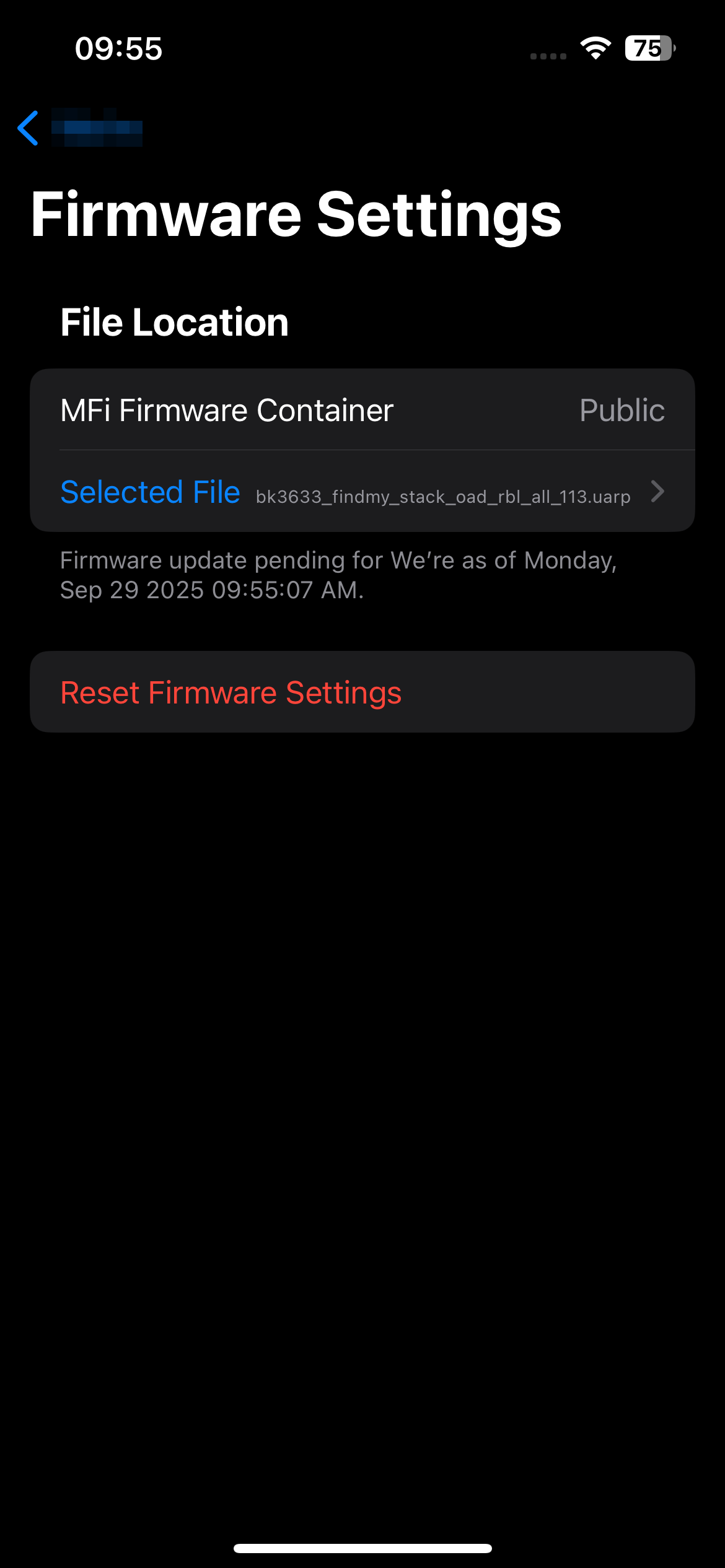
Firmware Settings
Return to “Find My”, re-enter the device page, and you will see a “Update available” prompt. Click “Update” to start the upgrade.
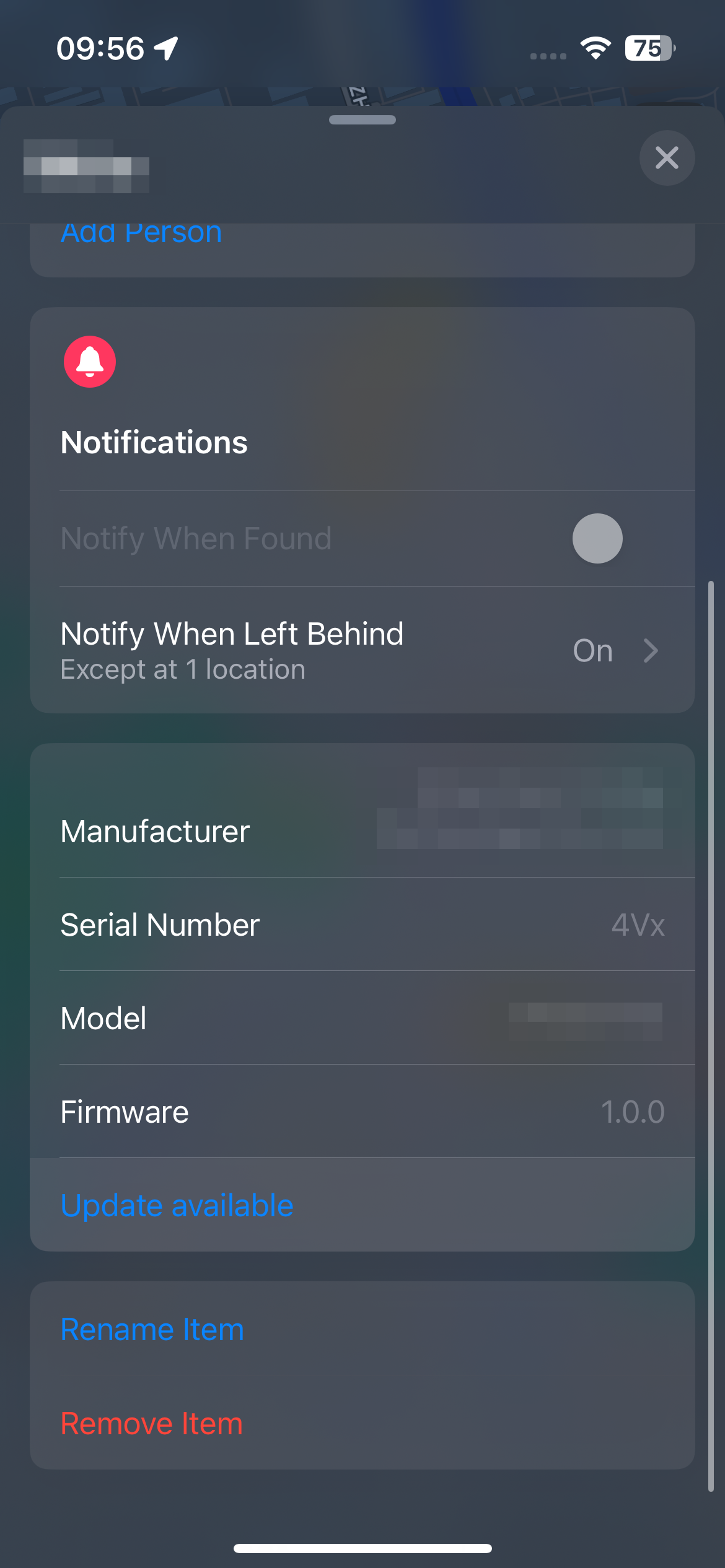
Update
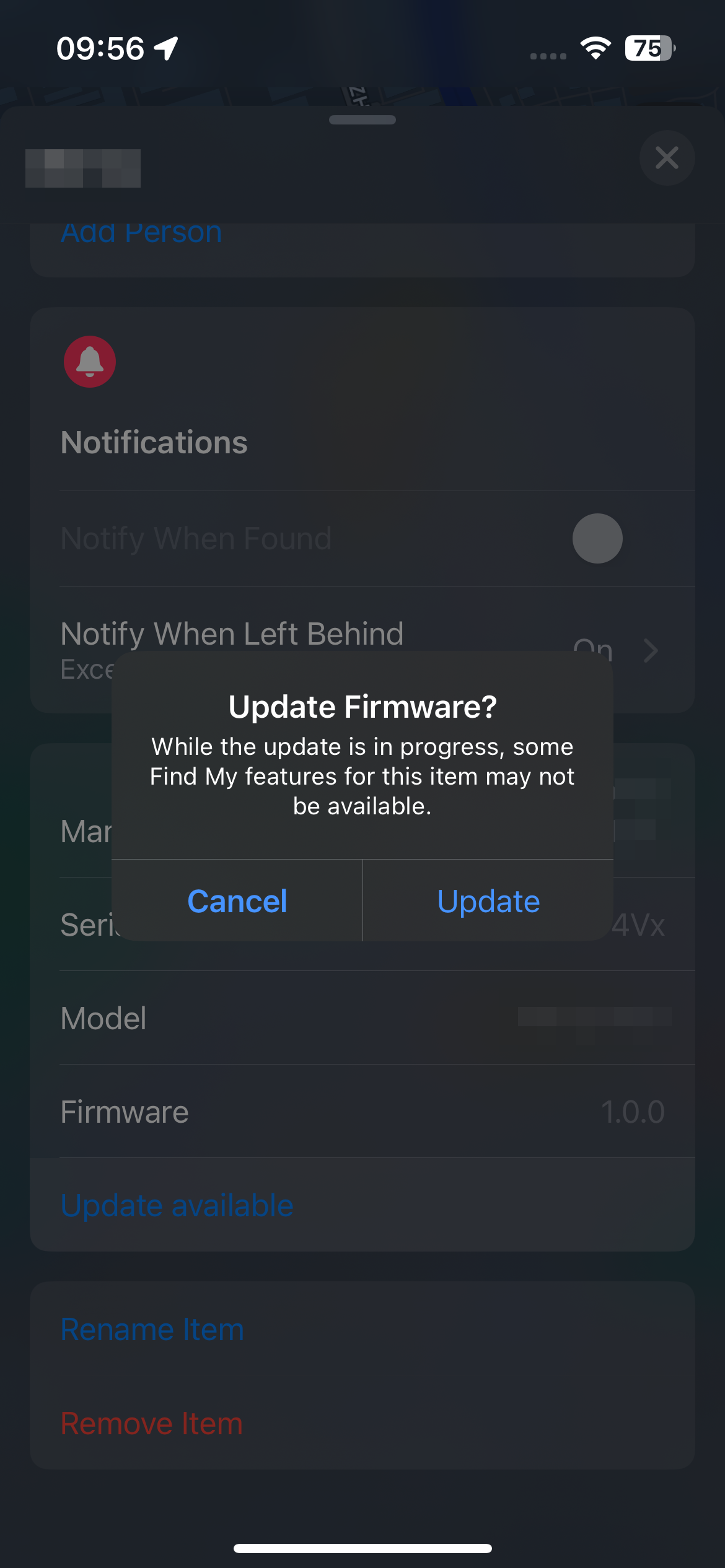
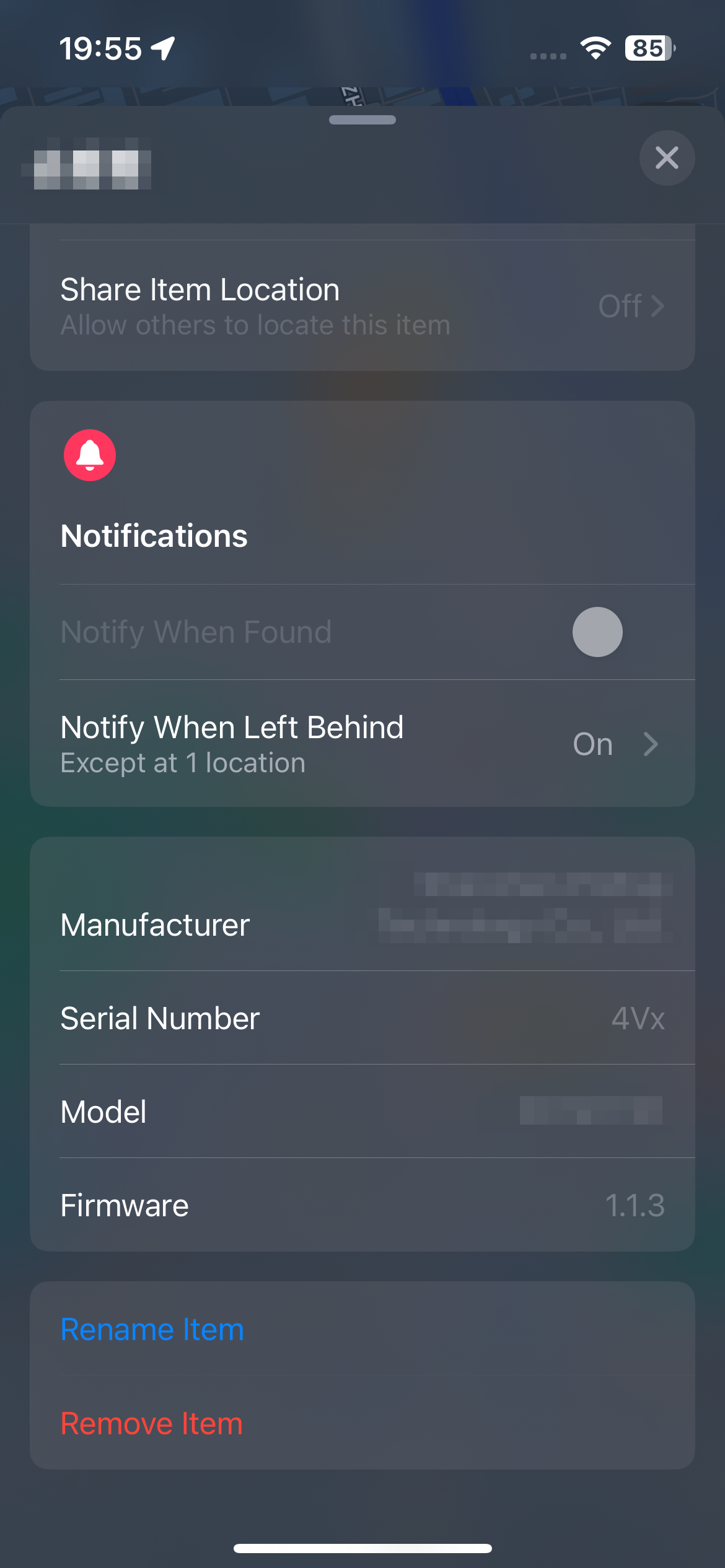
After the upgrade is completed, the device will restart automatically. After the upgrade, you can view the latest version number.
|
|