Two implementation methods are provided: GUI and CLI.
Terminology Explanation: Terminology Explanation
Download all-app.bin
- Using CLI
.\bk_loader.exe download -p COM11 -b 1500000
--reset_baudrate115200 -i D:/all-app.bin--reboot
.\bk_loader.exe: CLI tool path
download: download
-p: Serial port name
-b: Working baud rate
--reset_baudrate: Reset baud rate-i: bin file path
--reboot: Reboot device after download completes
There are two ways to specify bin files on the CLI: -i / --infile and --infile_json. The differences are:
Aspect |
|
|
|---|---|---|
Input form |
String: |
JSON array of |
Multi-bin separator |
Comma |
Expressed by the JSON array; no comma needed |
Path containing comma |
Not supported (comma is treated as a separator) |
Supported |
Optional |
The whole |
Each is optional: |
Typical use cases |
Single file with a path that has no special characters |
Multiple bins, paths containing commas, or when a structured form is preferred |
Warning
When specifying the firmware path with -i / --infile, the path must not contain spaces or special characters such as parentheses (), commas ,, &, ;, or |.
If the path does contain a comma, use --infile_json to pass the input via JSON instead (see examples below).
If you must use the -i option, it is recommended to wrap the firmware path in double quotes.
Using GUI
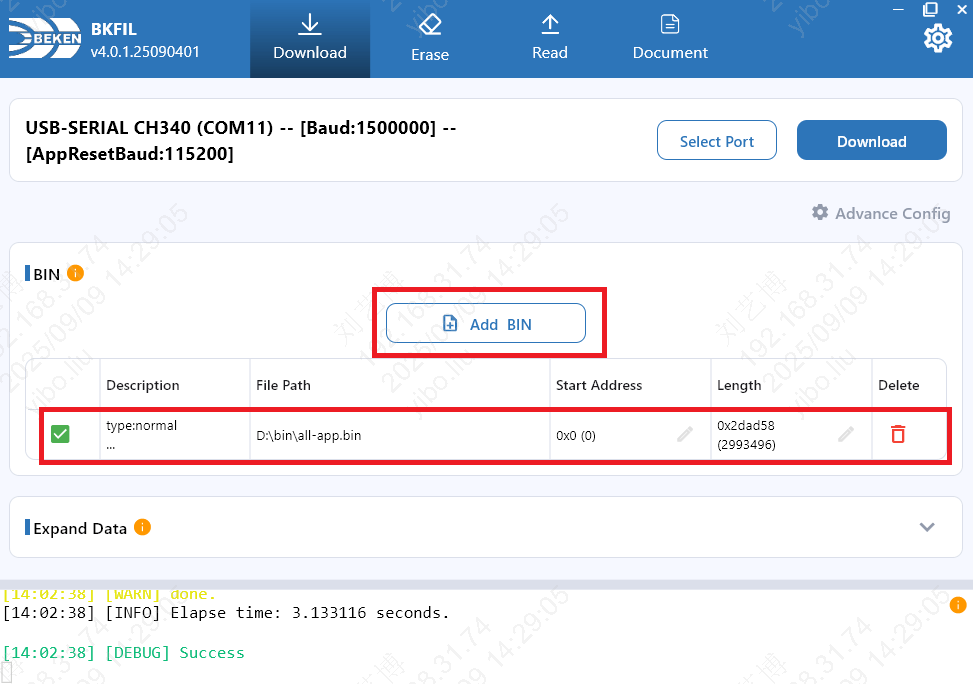
Select all-app.bin file
Specify the bin files to download via JSON
Each item in the JSON array describes one bin (the array may contain a single item or multiple items):
path: Path to the bin file. Required. Supports characters such as commas.start: Flash start address. Optional. Falls back to-s/--startaddr, then to0x0.len: Length to download. Optional. Defaults to the full file length. Accepts hex strings (e.g.,"0x1000") or integers.
Minimal form (
pathonly; the entire file is written to the address from-s, defaulting to0x0):[{"path": "D:/fw/app,v1.bin"}]
Specifying a start address and length:
[{"path": "D:/fw/app.bin", "start": "0x1000", "len": "0x2000"}]
Downloading multiple bin files in one command:
[
  {"path": "D:/fw/bootloader.bin"},
  {"path": "D:/fw/app.bin", "start": "0x11000"}
]
CLI invocation (pass the JSON above as the value of --infile_json):
.\bk_loader.exe download -p COM11 -b 1500000 --reset_baudrate 115200 --infile_json <JSON> --reboot
Note
--infile_json and -i / --infile are mutually exclusive; use one of them.
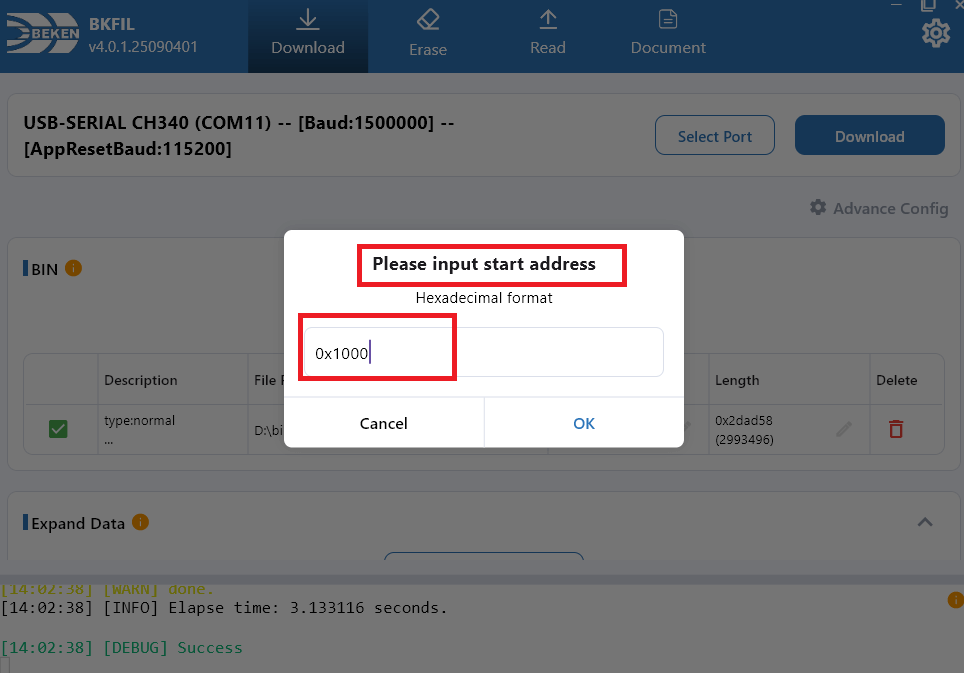
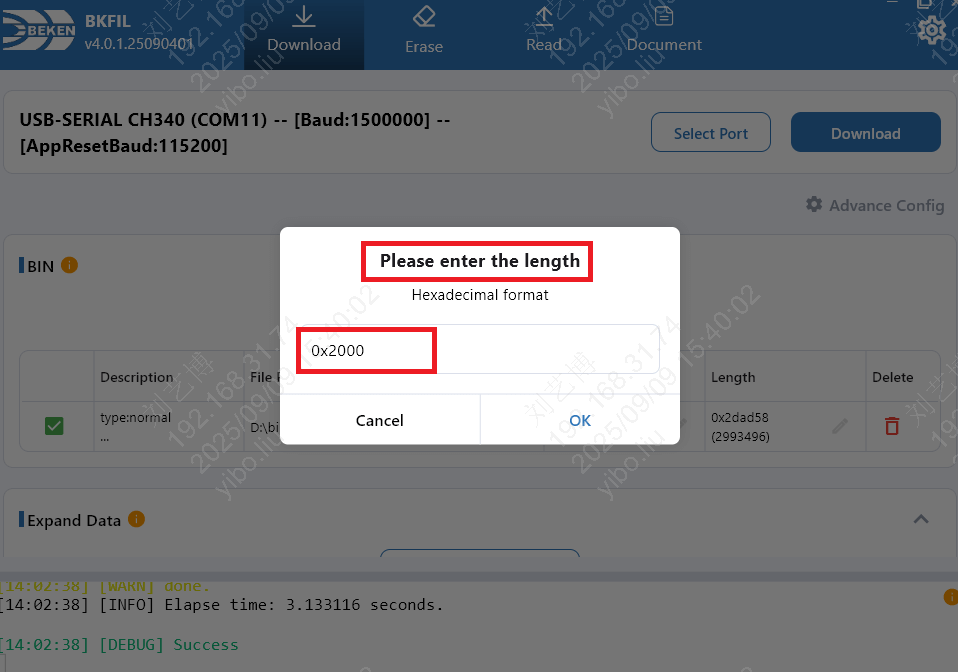
Download the first 8K data of all-app.bin to flash address 0x1000
- Using CLI
.\bk_loader.exe download -p COM11 -b 1500000
--reset_baudrate115200 -i D:/all-app.bin@0x1000-0x2000--reboot
-i: bin file path
- D:/all-app.bin@0x1000-0x2000 format: path@addr-length
path: bin file path
addr: flash start address
length: length to operate
Using GUI
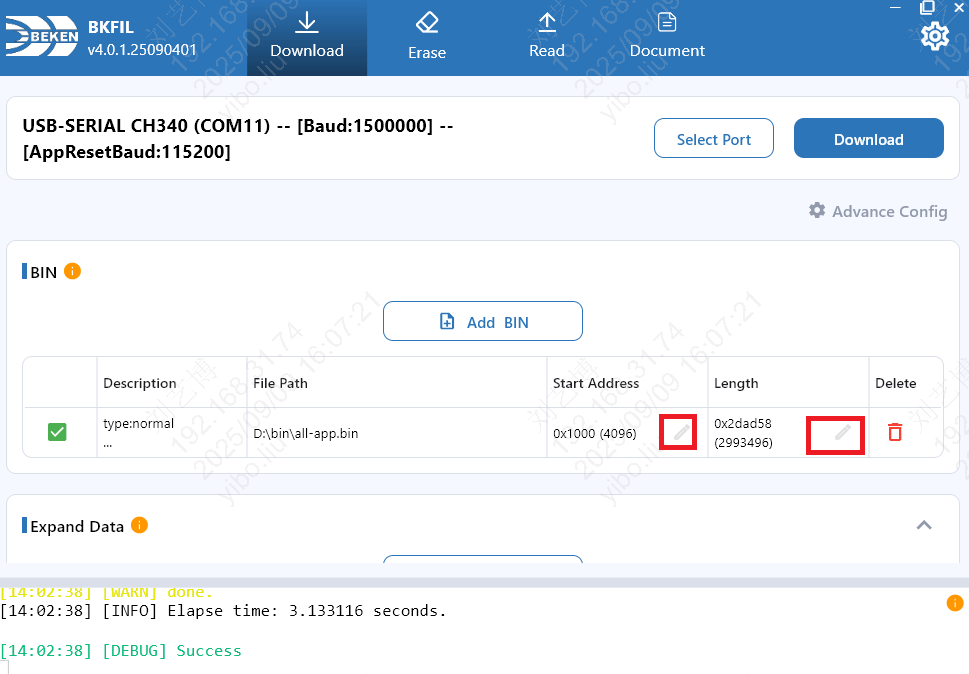
Select all-app.bin file
Edit region
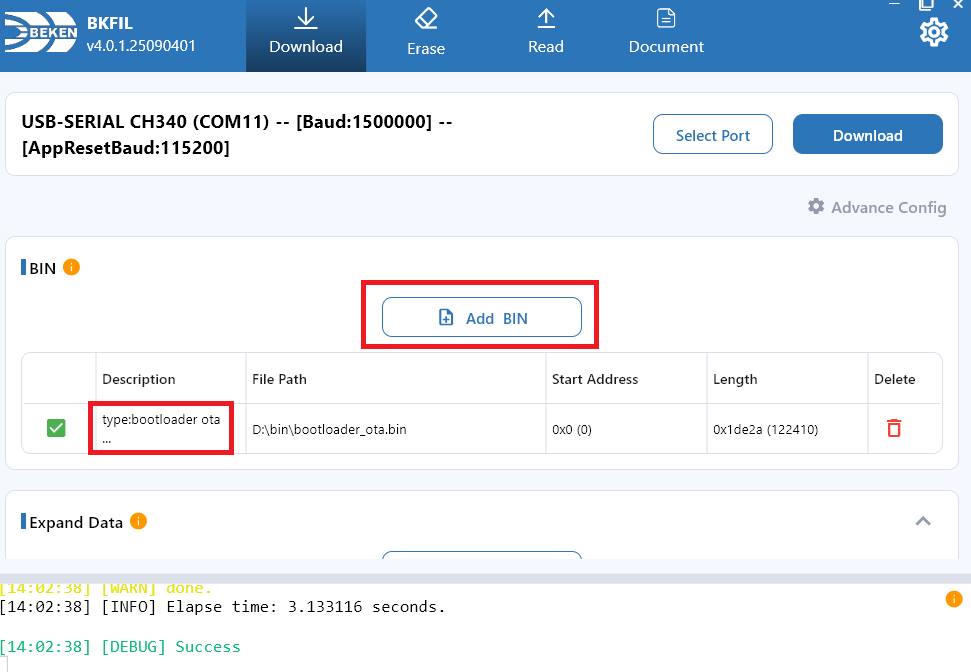
Download bootloader-ota.bin
bootlader-ota.bin is used to upgrade bootloader
- Using command line:
.\bk_loader.exe download -p COM11 -b 1500000
--reset_baudrate115200 -i D:/bootloader-ota.bin--reboot
Using GUI
Select bootloader-ota.bin file
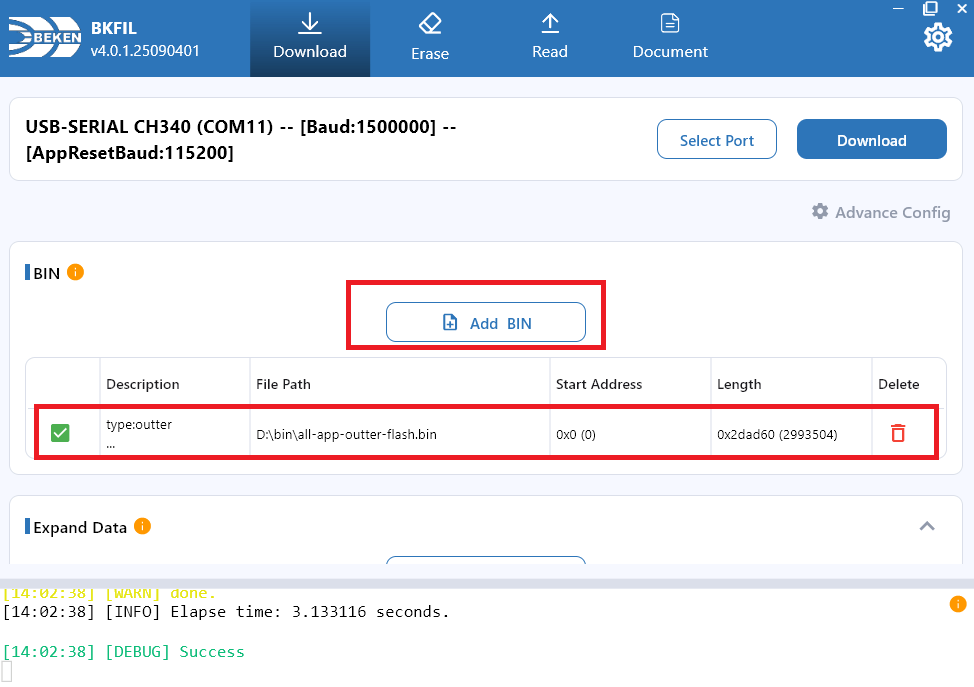
Download all-app-outter-flash.bin
all-app-outter-flash.bin can be used to download external flash
- Using command line:
.\bk_loader.exe download -p COM11 -b 1500000
--reset_baudrate115200 -i D:/all-app-outter-flash.bin--reboot
Using GUI
Select all-app-outter-flash.bin file
Download Device Name
Device name example, in string format, downloaded to flash address 0x1000 with big-endian byte order.
- Using CLI
.\bk_loader.exe download -p COM11 -b 1500000
--reset_baudrate115200--expand_datadevice_name@3@0x1000@example--reboot
--expand_data: Extended data- Extended data format name@type@addr@data
name: Extended data name
type: Extended data type
addr: Flash address
data: Extended data value
Extended data: Extended Data
Using GUI
Add extended data
Fill in name, type, address, data
Warning
No spaces allowed in the name.
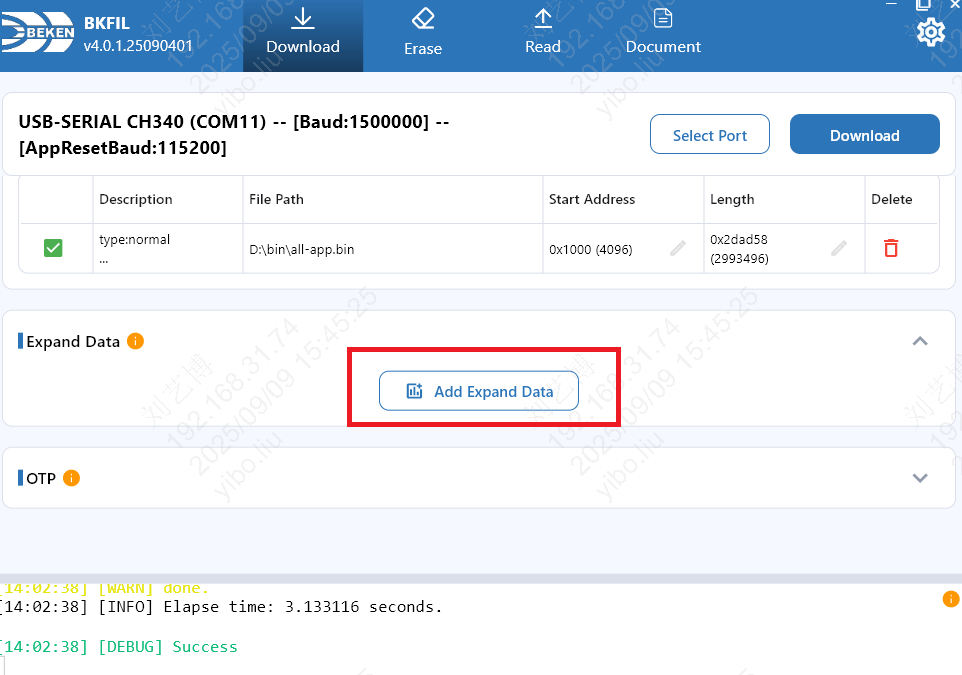
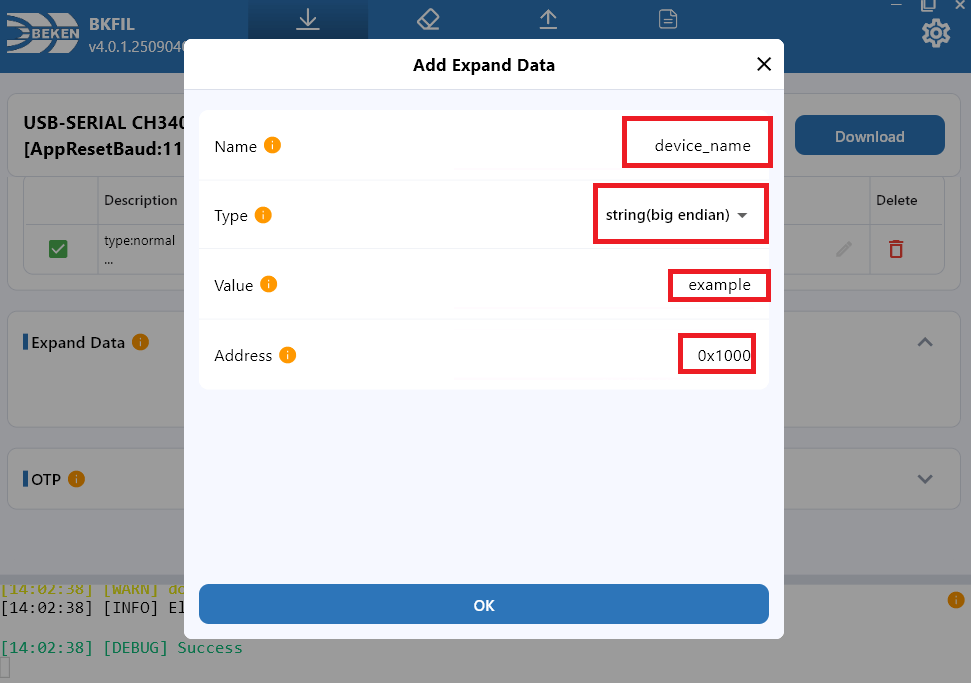
Download Extended Data
Using CLI .\bk_loader.exe download -p COM11 -b 1500000
--reset_baudrate115200--expand_dataname@type@addr@value--reboot
name: Extended data name
type: Byte order
addr: Extended data address
value: Extended data value
Using GUI
Add extended data
Fill in name, byte order, address, data
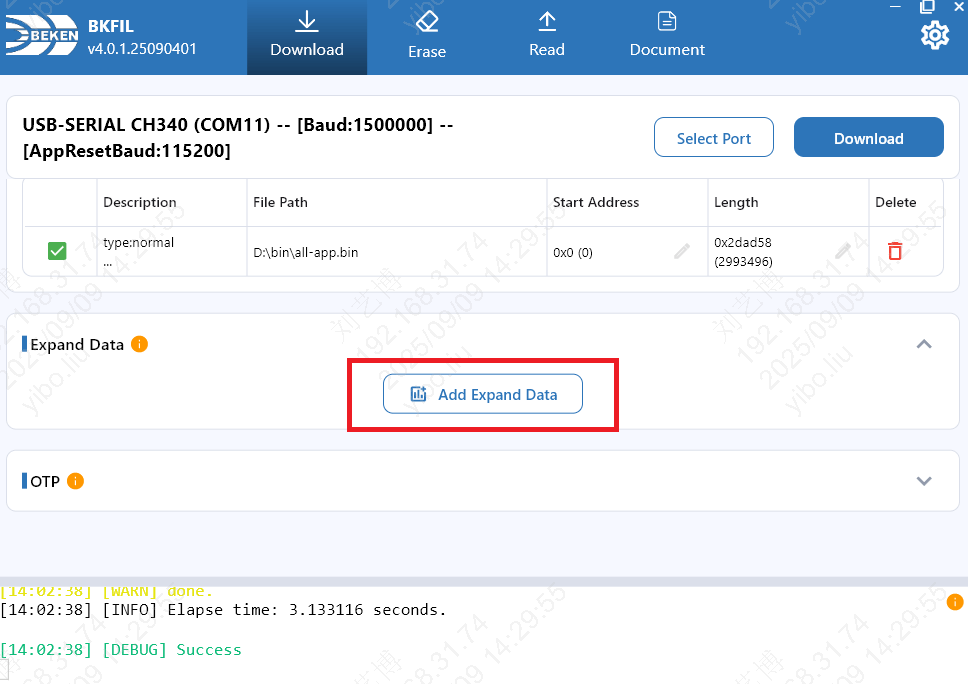
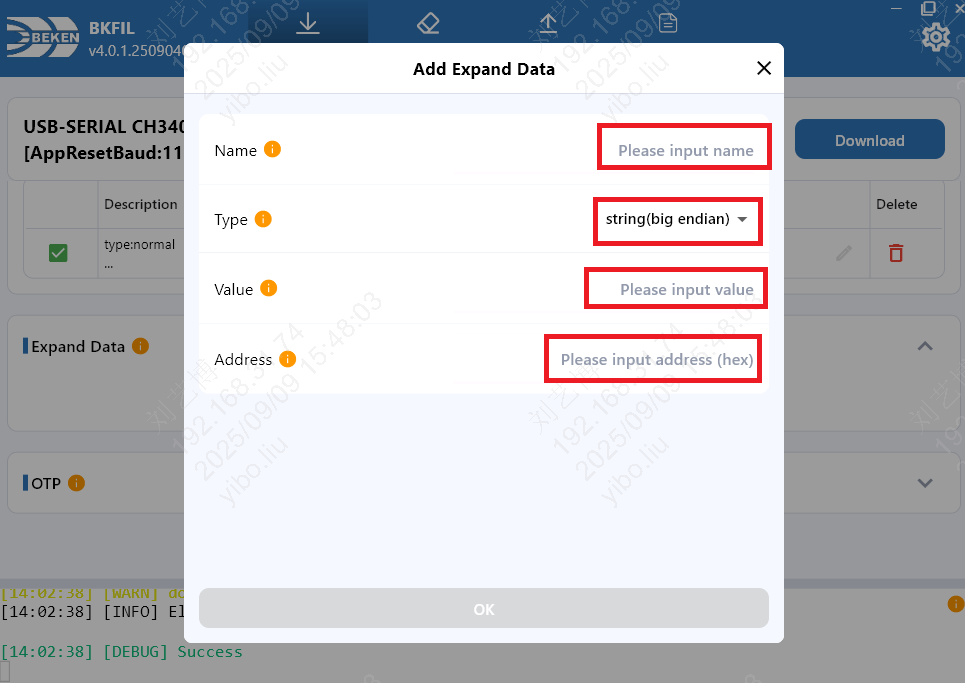
Download OTP/eFuse
OTP/eFuse file is in JSON format
- Using CLI
.\bk_loader.exe download -p COM11 -b 1500000
--reset_baudrate115200--safe_jsonD:/safe.json--reboot
--safe_json: OTP/eFuse file path
Using GUI
Select OTP/eFuse file
Note
For OTP/eFuse file format, please refer to https://docs.bekencorp.com/arminodoc/bk_idk/bk7236/zh_CN/v2.0.1/developer-guide/config_tools/bk_config_otp_efuse.html.
Warning
Warning: OTP/eFuse data cannot be modified once downloaded. Please ensure the data content is completely correct before performing the download operation!
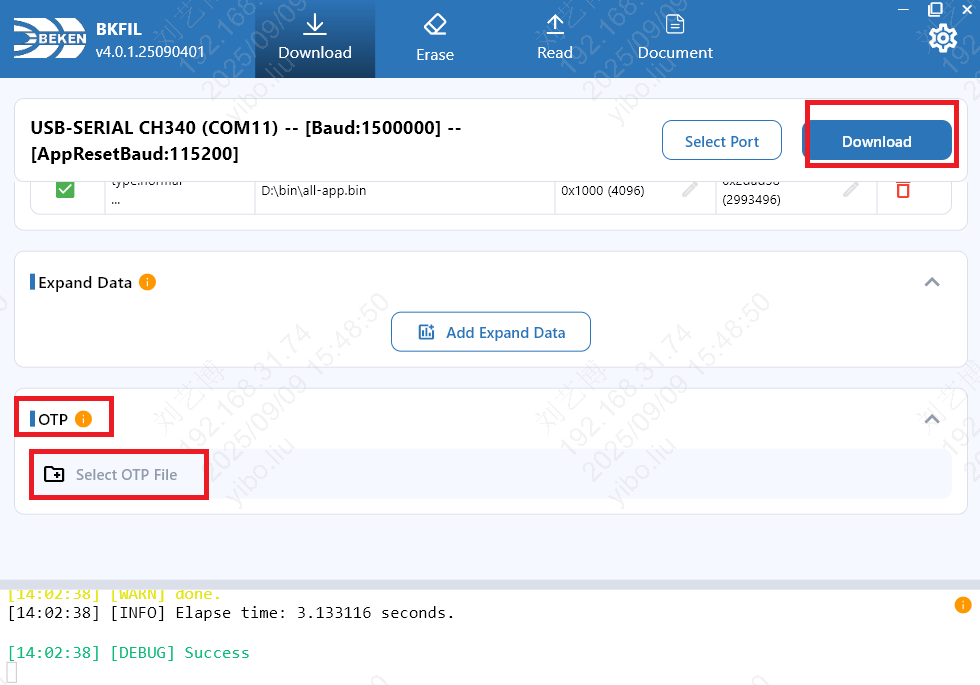
Erase All Flash Data
- Using CLI
.\bk_loader.exe erase -p COM11 -b 1500000
--reset_baudrate115200--chip_all--reboot
erase: Erase
--chip_all: All flash--reboot: Reboot device after erase completes
Using GUI
Select full erase
Warning
Warning: Flash contains important calibration data. Please ensure the correctness of the erase area.
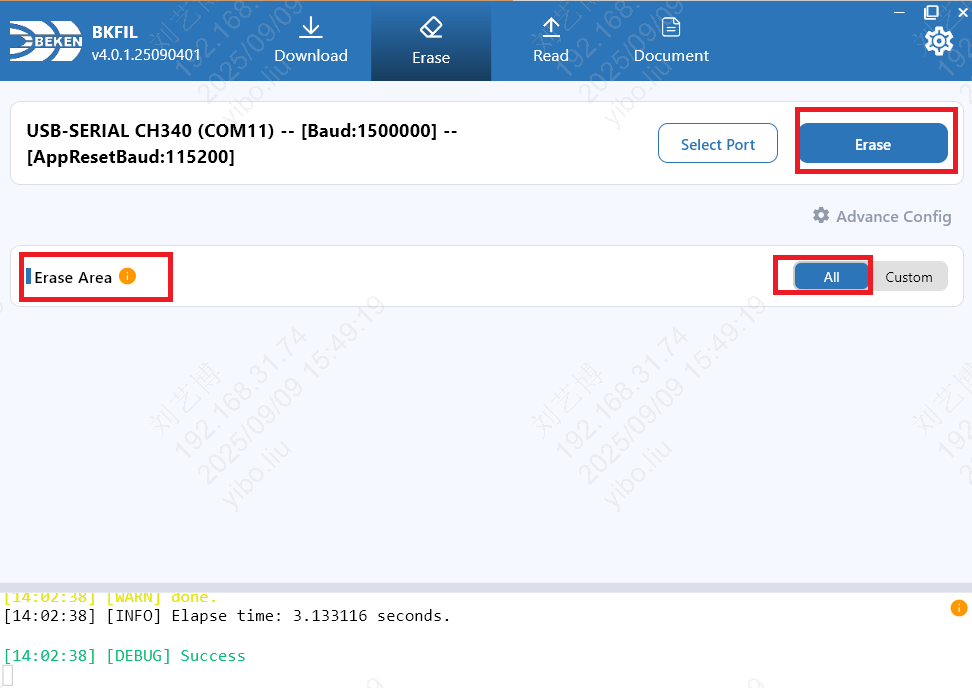
Erase Specified Flash Area Data
- Using CLI
.\bk_loader.exe erase -p COM11 -b 1500000
--reset_baudrate115200 -f 0x1000-0x2000,0x3000-0x4000--reboot
erase: Erase
-f: Specify the flash area to erase
- Format: -f:addr1-length1,addr2-length2
addr1: Start address of the flash area to erase
length1: Length of the flash area to erase
addr2: Start address of the flash area to erase
length2: Length of the flash area to erase
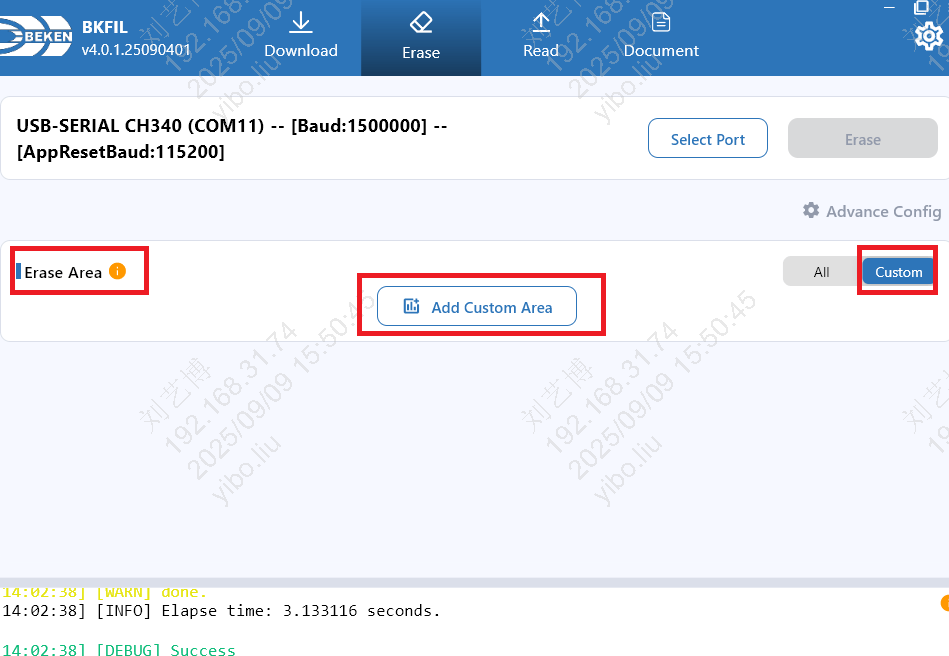
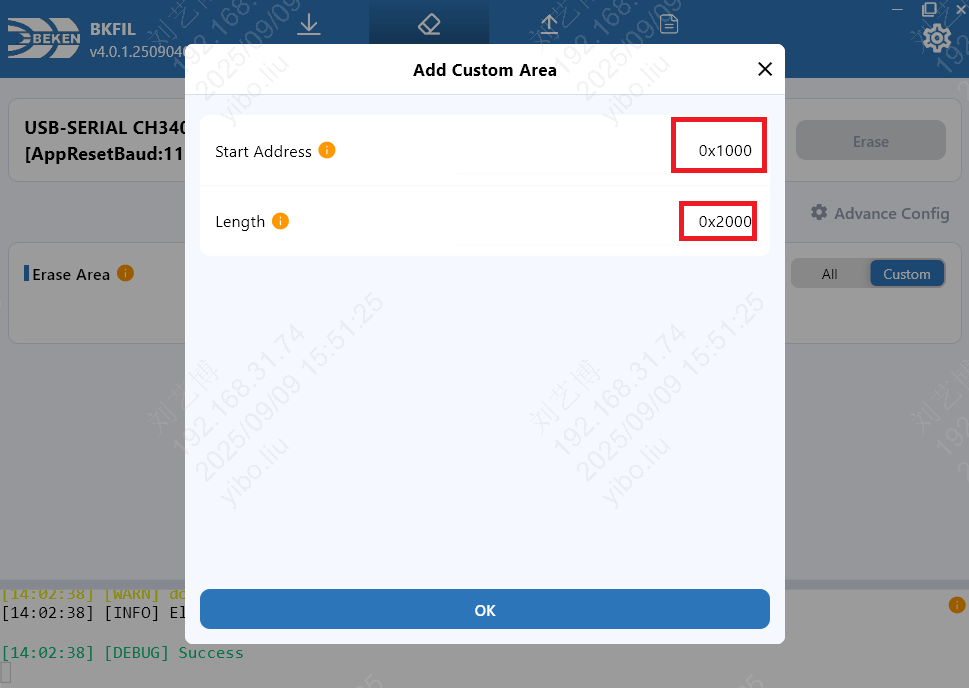
Using GUI
Fill in the area
Start erasing
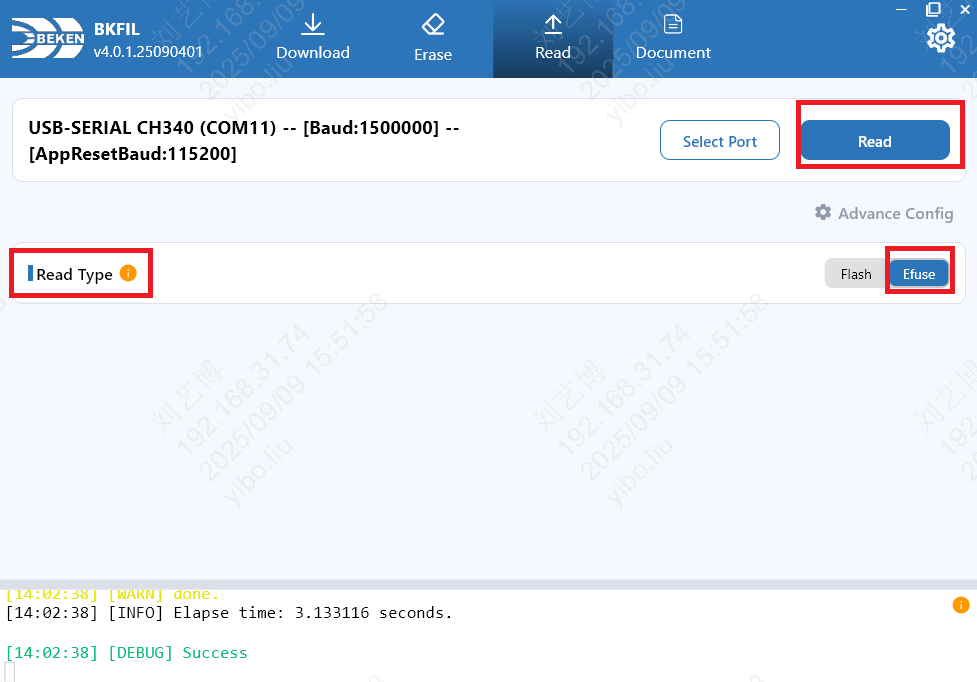
Read OTP/eFuse
The GUI entry is otp/efuse: the tool dispatches OTP or eFuse automatically by address. The CLI also exposes --read_efuse / --read_otp to target a specific channel.
Using CLI
Auto dispatch (recommended, matches the GUI custom mode):
.\bk_loader.exe read -p COM11 -b 1500000
--reset_baudrate115200--read_otp_efuse_auto0x44850014-4--rebootRead eFuse only:
.\bk_loader.exe read -p COM11 -b 1500000
--reset_baudrate115200--read_efuse0-0--rebootRead OTP only:
.\bk_loader.exe read -p COM11 -b 1500000
--reset_baudrate115200--read_otp0x4b010000-4--reboot
Field reference:
read: Read
--read_otp_efuse_auto: Auto-dispatch OTP/eFuse by address; refer to the chip datasheet for the valid address range--read_efuse: eFuse only; argument format isaddr-length, where0-0reads the entire eFuse--read_otp: OTP only, address is the OTP register addressArgument format:
addr-length, multiple ranges separated by commas (e.g.0x44850014-4,0xa-4)
Using GUI
Set read type to
otp/efuseTwo read modes are available:
Custom: manually add one or more address ranges (start address + length)
As JSON: pick a local JSON config file and read in batch according to the file
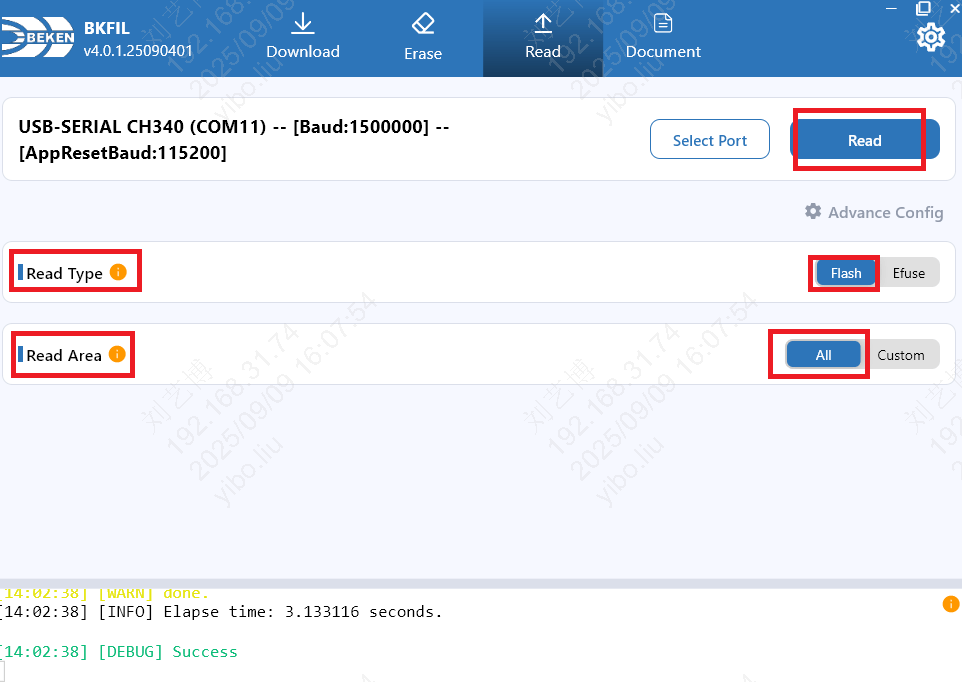
Read All Flash Data
Using CLI
.\bk_loader.exe read -p COM11 -b 1500000
--reset_baudrate115200--chip_all--reboot
--reboot: Reboot device after read completes
Using GUI
Select all flash
Read Specified Flash Area
- Using CLI
.\bk_loader.exe read -p COM11 -b 1500000
--reset_baudrate115200 0 -f 0x0-0x1000,0x2000-0x3000--reboot
Using GUI
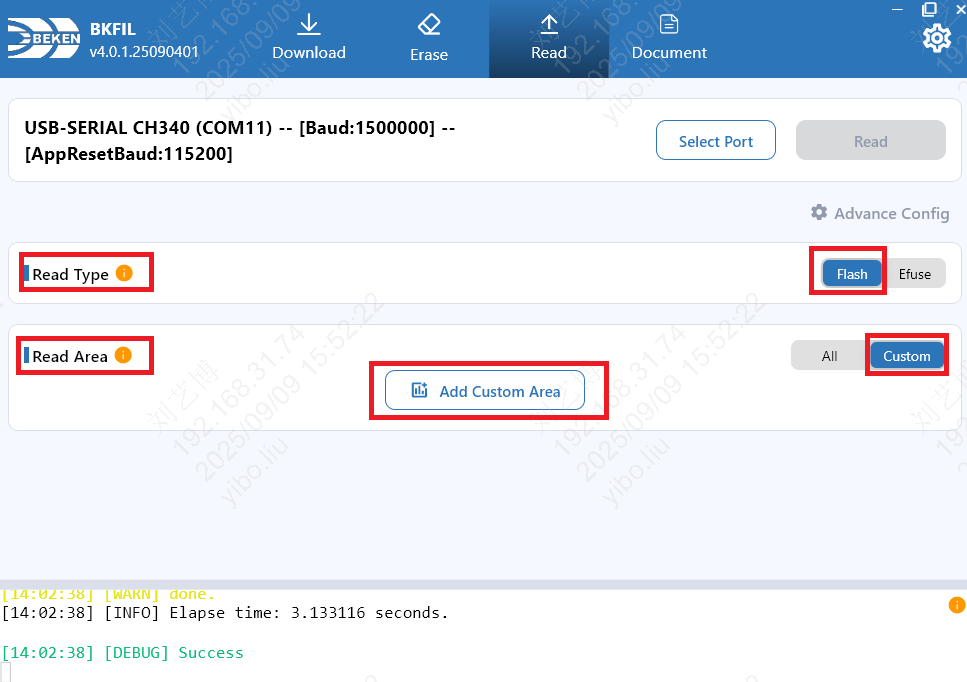
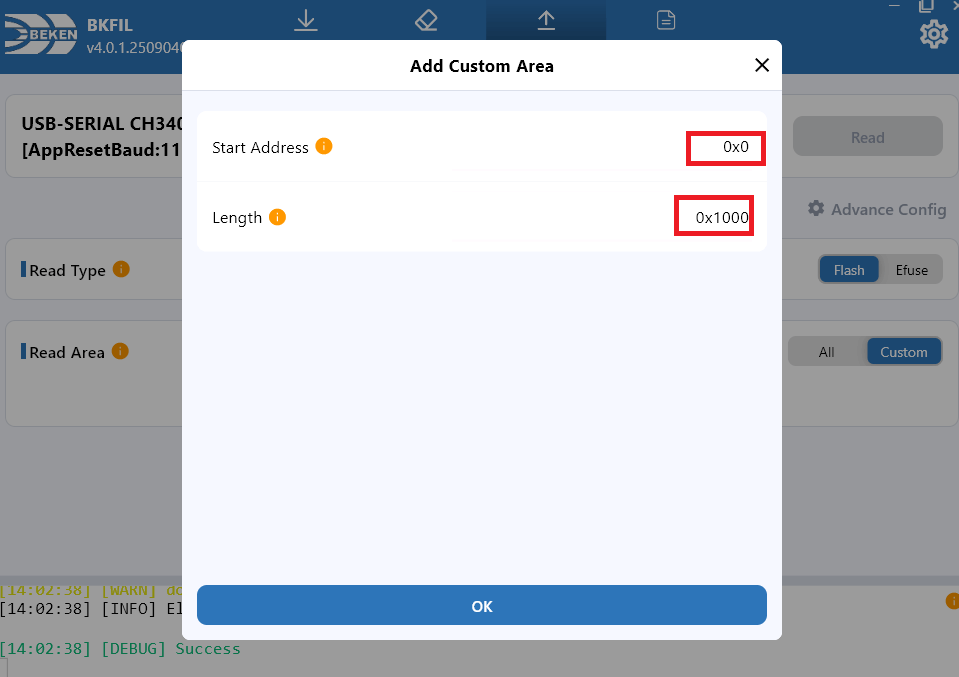
Fill in the area