system debugging

[中文]

Armino platform AP system debugging commands

  • BK7258 AP log is forwarded to CP serial port DL_UART0 output through mailbox (default baud rate is 115200)

  • By macro CONFIG_SYS_PRINT_DEV_MAILBOX=n,CONFIG_SYS_PRINT_DEV_UART=y,CONFIG_UART_PRINT_PORT=0 you can change the output mode of the log of AP (the above setting is that the log of AP is output through UART0) note CPU0 is the main core, and there is no MailBox channel between CPU0 and CPU2, so only CPU1 is supported

  • AP log has cpu1 label (except exception log)

  • Enter the log command through the serial port to view the current log configuration

  • The macro CONFIG_UART_ATE_PORT indicates which pin to use for detecting the ATE (Automated Test Equipment) mode; the macro CONFIG_UART_PRINT_PORT represents the default UART port for initializing the LOG; CONFIG_UART_ATE_PRINT_PORT signifies that during ATE detection, the LOG UART port should be switched once (but at this point, the LOG port has not been initialized yet; during initialization, the choice for the LOG port is made based on CONFIG_UART_ATE_PRINT_PORT). Example: For ATE identification, use UART1’s TX pin, and for normal application logs, use UART1. After entering the ATE mode, the log and command line should use UART0. Configuration is as follows: CONFIG_UART_ATE_PORT=1, CONFIG_UART_PRINT_PORT=1, and CONFIG_UART_ATE_PRINT_PORT=0.

  • Enter the help command through the serial port to view the currently supported debugging commands:

#cpu1 log

    $log: echo 1, level 3, sync 0, white_list 0, flush 1.

#cpu1 help

    $====Build-in Commands====
    help
    log: log [echo(0,1)] [level(0~5)] [sync(0,1)] [Whitelist(0,1)]
    debug: debug cmd [param] (ex:debug help)
    loginfo: log statistics.
    modlog: modlog tag_name on/off

    ====User Commands====
    2bd_master_test: 2bd_master_test {start|stop}
    2bd_slave_test: 2bd_slave_test {start|stop}
    assert: asset and dump system information
    aud_adc_dma_test: aud_adc_dma_test {start|stop sample_rate}
    aud_adc_loop_test: aud_adc_loop_test {start|stop sample_rate}
    aud_adc_mcp_test: aud_adc_mcp_test {start|stop sample_rate}
    aud_dac_dma_test: aud_dac_dma_test {start|stop 8000|16000|44100|48000}
    aud_dac_eq_test: aud_dac_eq_test {start|stop}
    aud_dac_mcp_test: aud_dac_mcp_test {8000|16000|44100|48000}
    backtrace: show task backtrace
    cpuload: show task cpu load
    cputest: cputest [count]
    dhcpc: dhcpc
    dma: dma {id} {init|deinit|start|stop|set_tran_len|get_remain_len}
    dma_chnl: dma_chnl alloc
    dma_chnl_free: dma_chnl_free {id}
    dma_chnl_test: {start|stop} {uart1|uart2|uart3} {wait_ms}
    dma_config: dma_config {mode|priority|pasue|src|dst}{mode value/priority value/dev,width,increase_en,loop_en,start_addr,end_addr}
    dma_copy: copy {src} {dst} {len}
    dma_driver: dma_driver {init|deinit}
    dma_int: dma_int {id} {reg|enable_hf_fini|disable_hf_fini|enable_fini|disable_fini|pause}
    dma_memcopy_test: copy {count|in_number1|in_number2|out_number1|out_number2}
    dtm_master_test: dtm_master_test {start|stop}
    dtm_slave_test: dtm_slave_test {start|stop}
    dvfs: dvfs [cksel_core] [ckdiv_core] [ckdiv_bus] [ckdiv_cpu0] [ckdiv_cpu1]
    dvfs_auto_test: dvfs_auto_test [period]
    dwtd: dwtd r/w/b data_address
    dwtdd: dwtdd data_address data_value
    dwtdr: dwtdr data_address data_address_limit
    dwti: dwt instruction_addr
    event: event {reg|unreg|post} {mod_id} {event_id}
    exception: {undefine|dabort|illegal|irq|fiq}
    fatfs_idle_test: fatfs_idle_test {start|stop|clean}
    fatfstest: fatfstest <cmd>
    flash: flash {erase|read|write} [start_addr] [len]
    flash_erase_test: cli_flash_erase_test with ble connecting
    flash_partition: flash_partition {show}
    flash_test: flash_test <cmd(R/W/E/N)>
    fmap_test: flash_test memory map
    fpb: fpb instruction_addr
    gpio: gpio     [set_mode/output_low/output_high/input/spi_mode]      [id]     [mode]
    gpio_driver: gpio_driver    [init/deinit]}
    gpio_int: gpio_int    [index]     [inttype/start/stop]     [low/high_level/rising/falling edge]
    gpio_map: gpio_map     [sdio_map/spi_map]
    gpio_retention_test: gpio_retention_test
    http_ota: http_ota url
    httplog: httplog [1|0].
    i2c: i2c {init|write|read}
    i2c_driver: i2c_driver {init|deinit}
    i2s_master_test: i2s_master_test {start|stop}
    i2s_slave_test: i2s_slave_test {start|stop}
    id
    int: retarget {int_group0} {int_group1}
    ip: ip [sta|ap][{ip}{mask}{gate}{dns}]
    ipconfig: ipconfig [sta|ap][{ip}{mask}{gate}{dns}]
    iperf: iperf help
    jpeg: jpeg {init|deint}
    jpeg_driver: jpeg_driver {init|deinit}
    lwip_mem: print lwip memory information
    lwip_pbuf: print lwip pbuf information
    lwip_stats: print lwip protocal statistics
    memdump: <addr> <length>
    memleak: [show memleak
    memset: <addr> <value 1> [<value 2> ... <value n>]
    memshow: show free heap
    memstack: show stack memory usage
    memtest: <addr> <length>
    memtest_r: <src> <dest> <size>
    memtest_wr: <addr> <count>
    memtime: <addr> <count> <0:write,1:read>
    micodebug: micodebug on/off
    mpucfg: <rnr> <rbar> <rlar>
    cpu2:(11008):cpu2_test_task run core: 2
    cpu1:(11008):cpu1_test_task run core: 1
    mpuclr: <rnr>
    mpudump: dump mpu config
    osinfo: show os runtime information
    pcm_master_test: pcm_master_test {start|stop}
    pcm_slave_test: pcm_slave_test {start|stop}
    per_packet_info: per_packet_info [per_packet_info_output_bitmap(base 16)]
    ping: ping <ip>
    pm: pm [sleep_mode] [wake_source] [vote1] [vote2] [vote3] [param1] [param2] [param3]
    pm_clk: pm_clk [module_name][clk_state]
    pm_ctrl: pm_ctrl [ctrl_value]
    pm_debug: pm_debug [debug_en_value]
    pm_freq: pm_freq [module_name][ frequency]
    pm_lpo: pm_lpo [lpo_type]
    pm_power: pm_power [module_name][ power state]
    pm_vol: pm_vol [vol_value]
    pm_vote: pm_vote [pm_sleep_mode] [pm_vote] [pm_vote_value] [pm_sleep_time]
    psram_free: psram_free <addr>
    psram_malloc: psram_malloc <length>
    psram_state: psram_state
    qspi: qspi {init|write|read}
    qspi_driver: qspi_driver {init|deinit}
    reboot: reboot system
    regdump: regdump {module}
    regshow: regshow -w/r addr [value]
    sd_card: sd_card {init|deinit|read|write|erase|cmp|}
    sdio: sdio {init|deinit|send_cmd|config_data}
    sdio_host_driver: sdio_host_driver {init|deinit}
    sdmadc: sdmadc_test
    sdtest: sdtest <cmd>
    spi: spi {init|write|read}
    spi_config: spi_config {id} {mode|baud_rate} [...]
    spi_data_test: spi_data_test {id} {master|slave} {baud_rate|send}[...]
    spi_driver: spi_driver {init|deinit}
    spi_flash: spi_flash {id} {readid|read|write|erase} {addr} {len}[...]
    spi_int: spi_int {id} {reg} {tx|rx}
    stackguard: stackguard <override_len>
    starttype: show start reason type
    tasklist: list tasks
    time: system time
    timer: timer {chan} {start|stop|read} [...]
    uart: uart {id} {init|deinit|write|read|write_string|dump_statis} [...]
    uart_config: uart_config {id} {baud_rate|data_bits} [...]
    uart_driver: {init|deinit}
    uart_int: uart_int {id} {enable|disable|reg} {tx|rx}
    usb: usb driver_init|driver_deinit|power[gpio_id ops]|open_host|open_dev|close
    usb_ls: usb list system
    usb_mount: usb mount
    usb_op: usb_read file length
    usb_unmount: usb unmount
    version
    wdrv: wdrv

Armino platform AP system swd debugging

The AP system supports online debugging, and you can quickly build a debugging environment using JLink tools and Eclipse host computer tools.

BK7258 JLink configuration
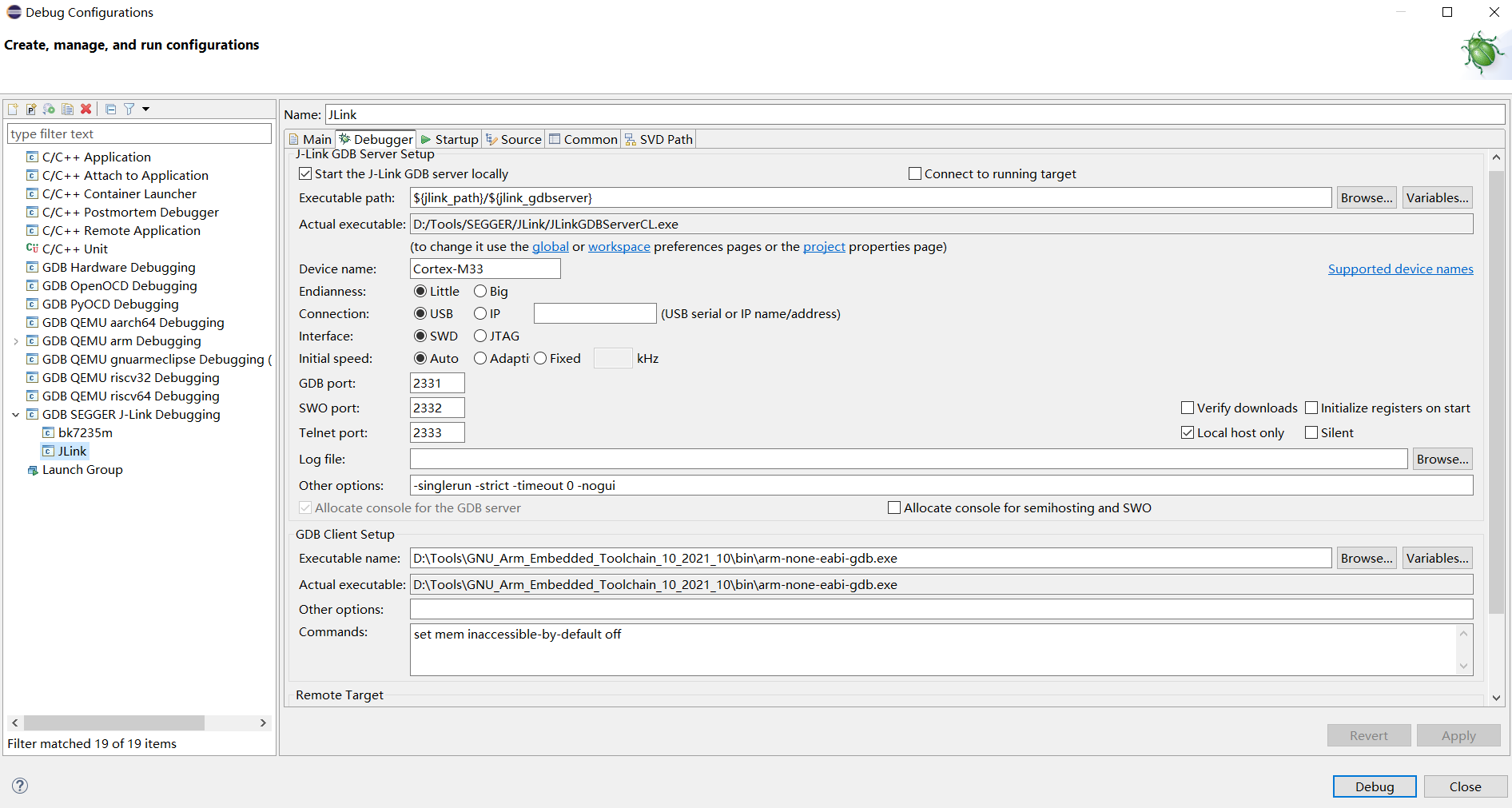
  • The default swd is connected to CP, and BK7258 has two swd ports (grou1/group2)

  • You can set swd connection CP through the setjtagmode cpu0 group1 command

  • You can set swd to connect AP through setjtagmode cpu1 group1

  • You can view the current jtag status through the jtagmode command

Note

To establish a SWD debugging connection using Jlink, a DEBUG version of the code must be compiled.

If the system is not booting normally, attempting to connect to Jlink via serial input commands may not be possible. In this case, you can manually call the following functions in driver_init after bk_gpio_driver_init(): bk_set_jtag_mode(0,0); // The first parameter 0 indicates debugging cpu0, and the second parameter 0 indicates using the first set of SWD gpio pins while(g_test_mode); // Define a volatile global variable to prevent the compiler from optimizing away the following code

Then, after connecting to Jlink, modify the g_test_mode variable value and continue debugging.

Due to GPIO pin multiplexing, the default version requires entering debug commands or setting debug mode in the code when connecting to Jlink for debugging:

  • Disable the watchdog

  • Reconfigure the SWD-related gpio

SWD debugging example

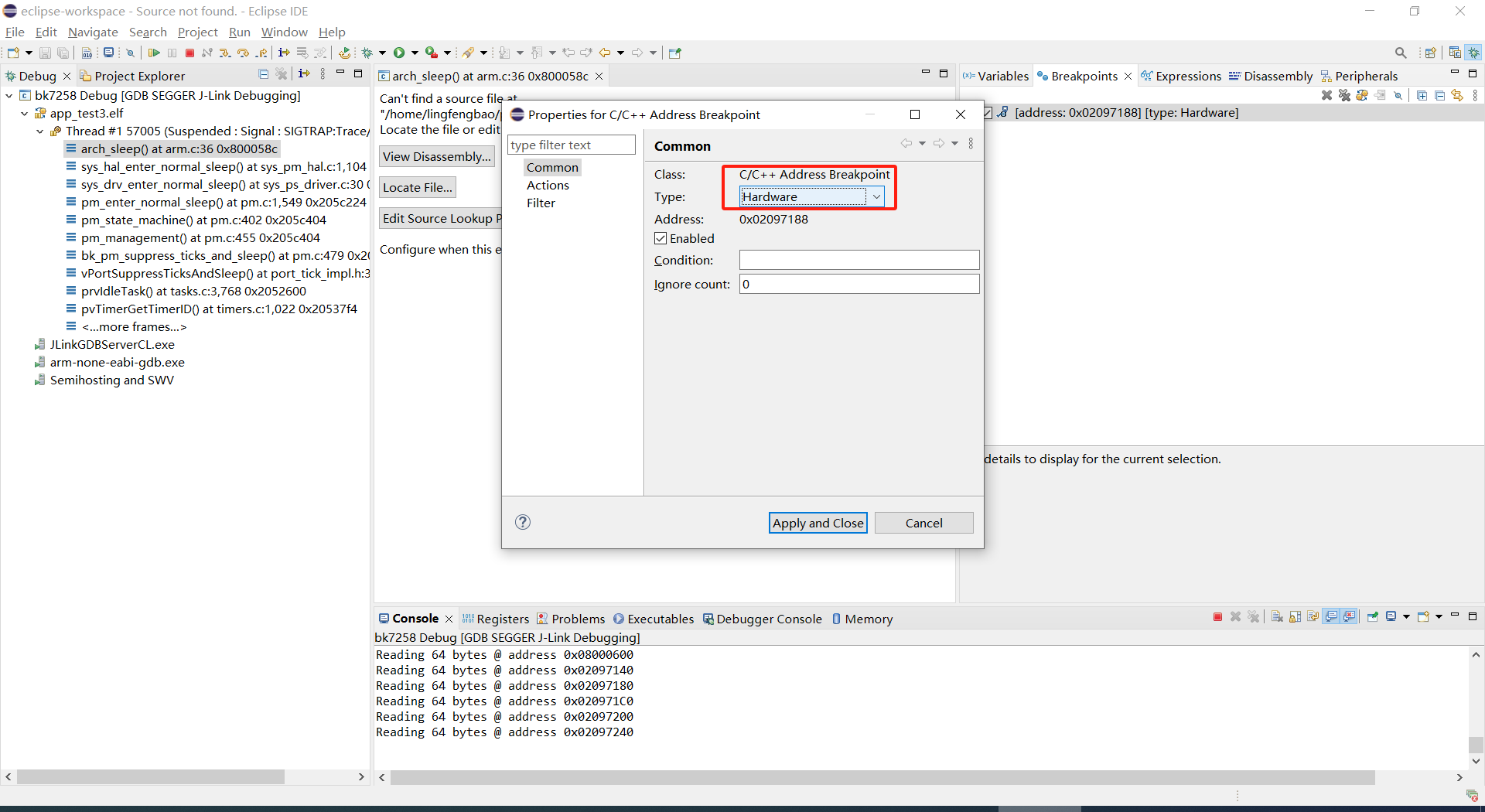
After connecting JLink, you can follow these steps to debug with breakpoints:

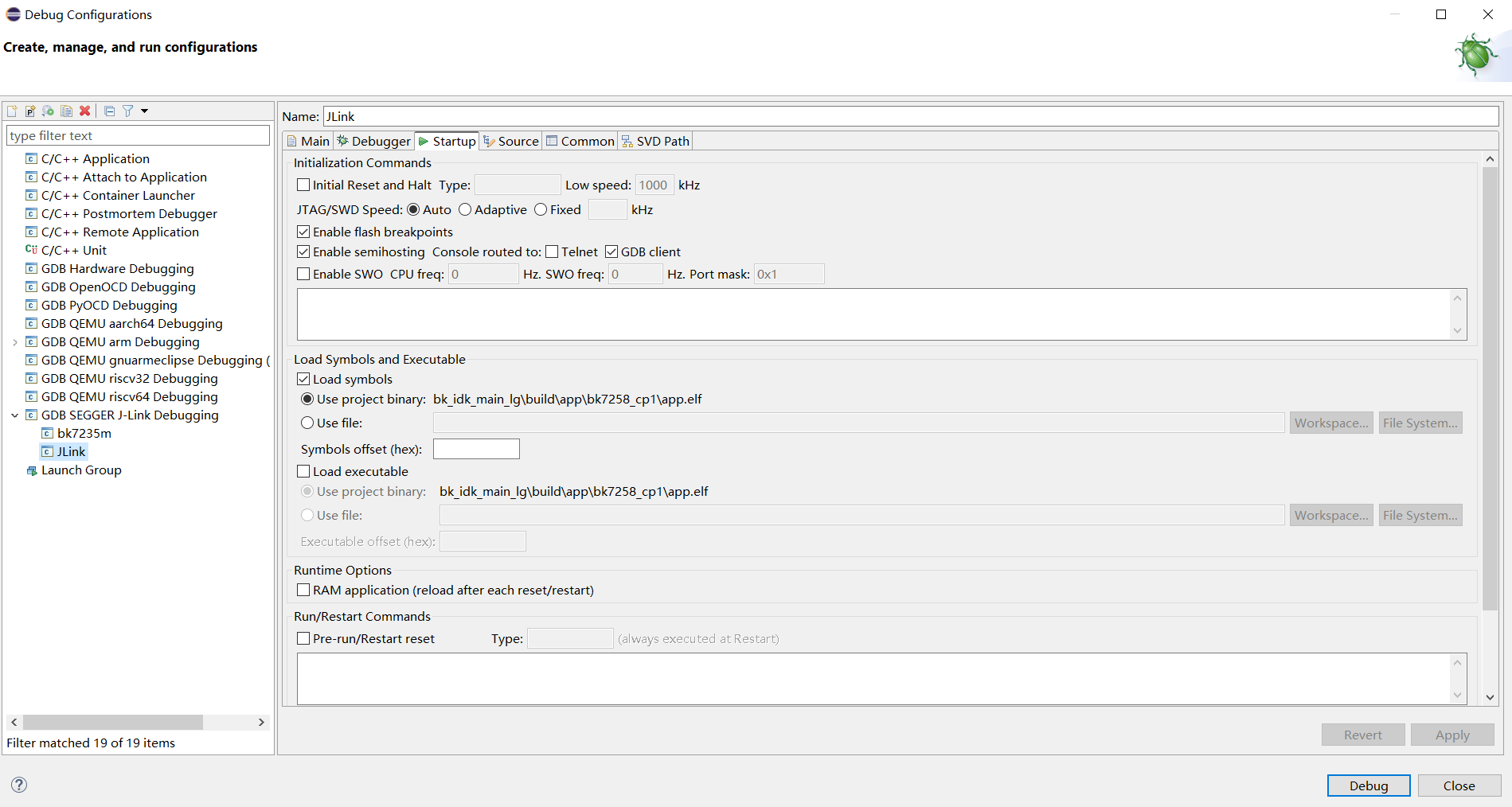
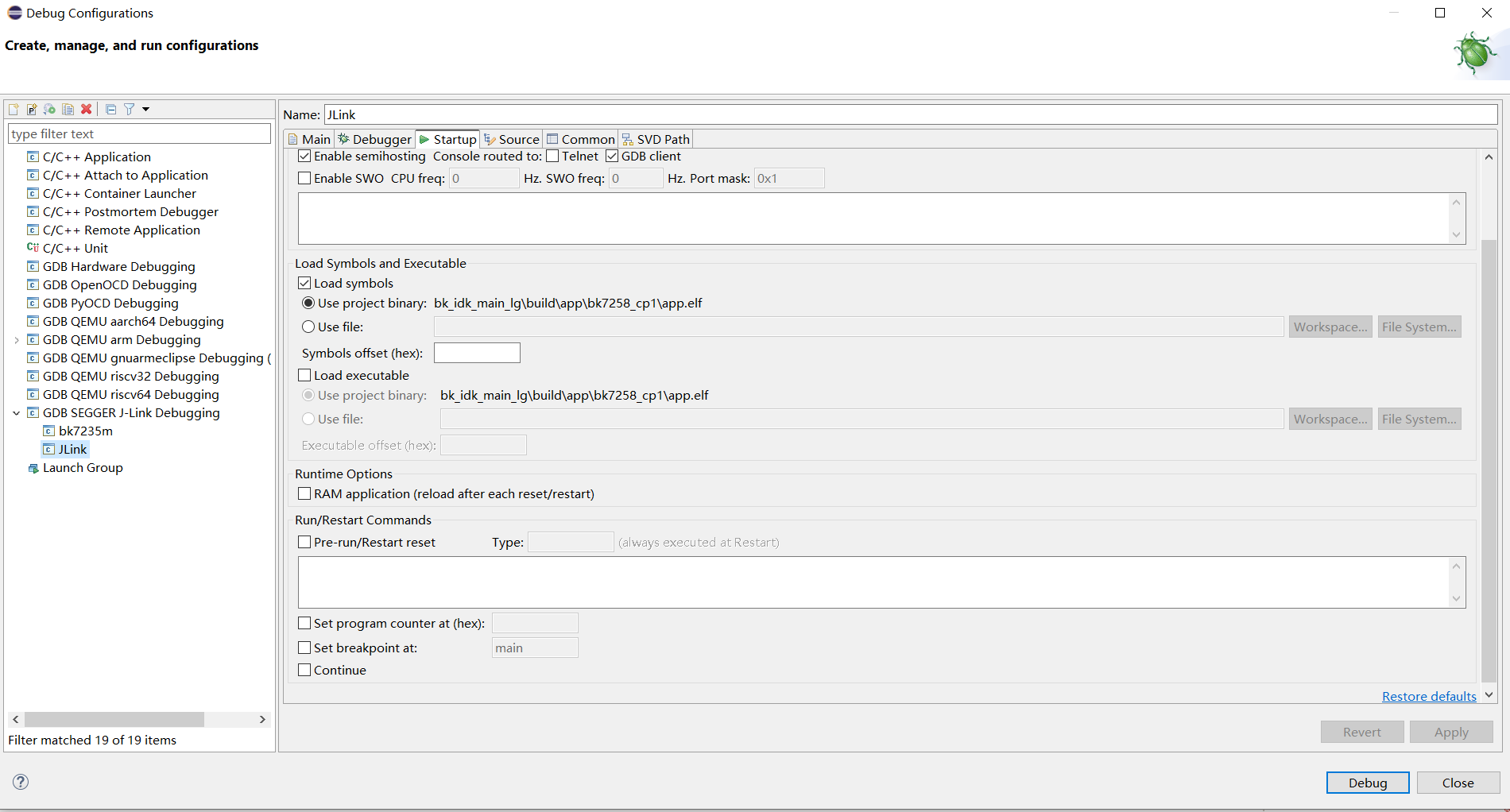
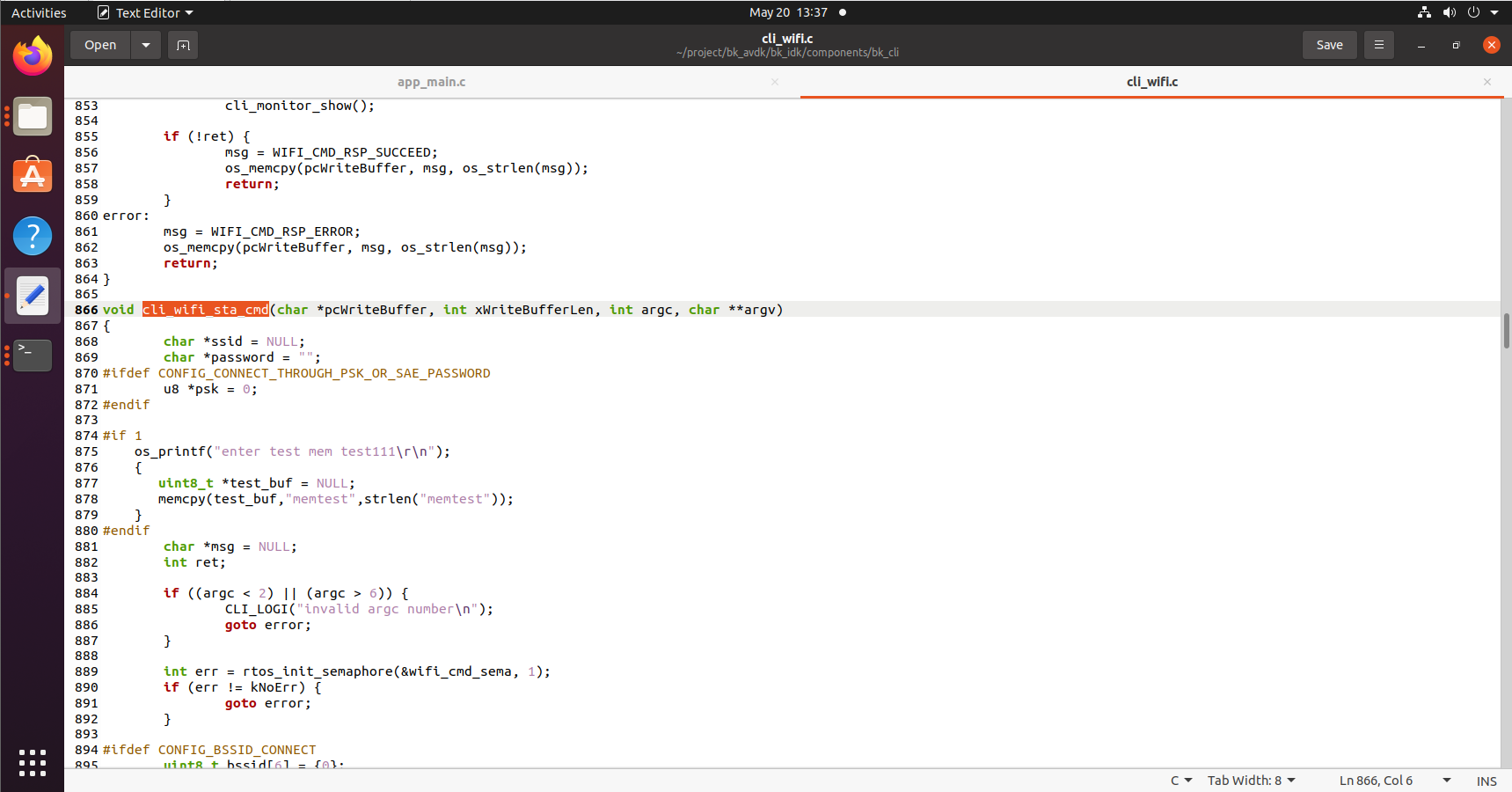
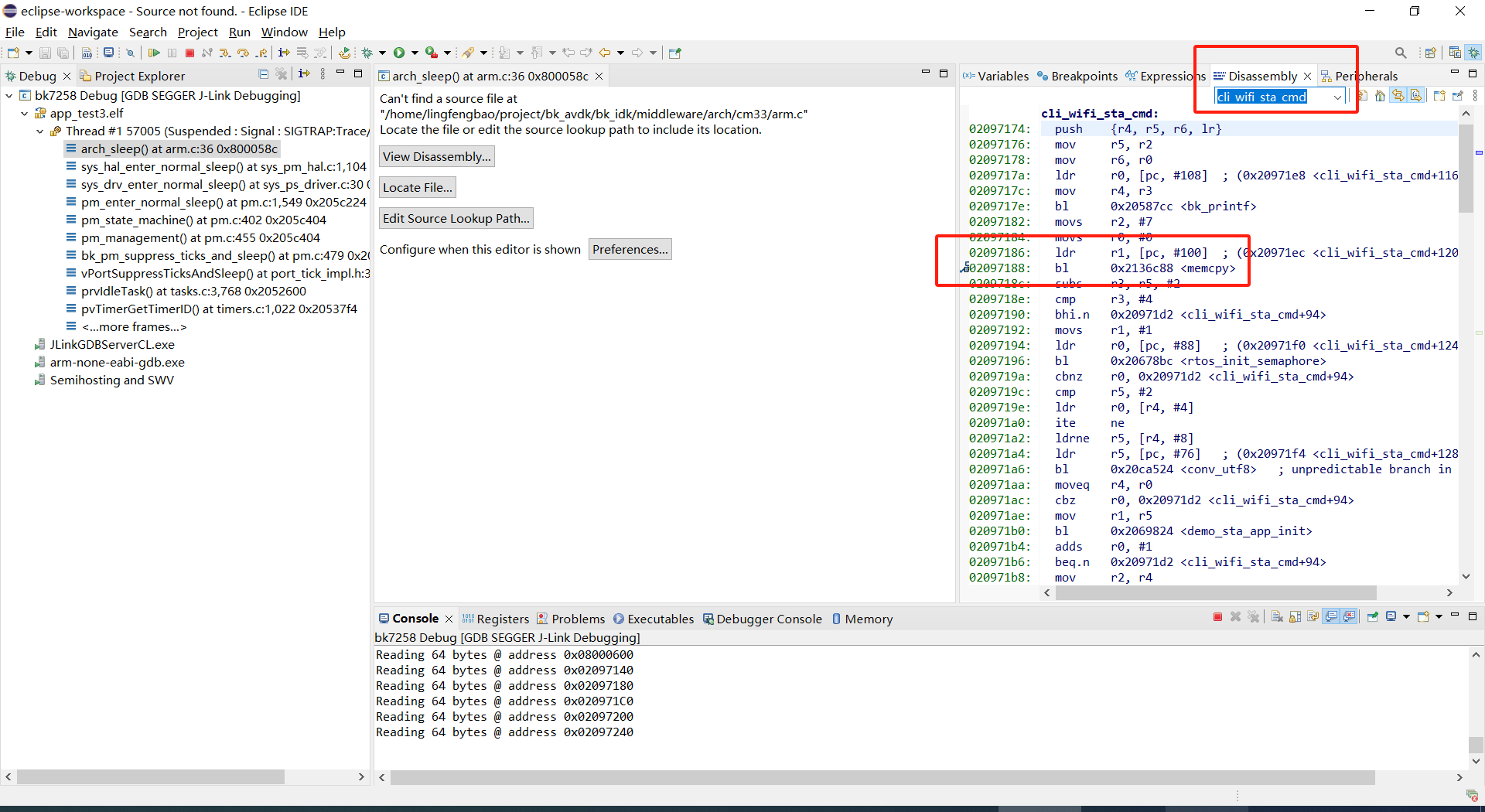
  • Find the dump address in the Disassembly page based on the function pointer or function name.

BK7258 JLink configuration

Figure 1

BK7258 JLink configuration

Figure 2

  • Set a breakpoint at the statement before the dump function and set the breakpoint attribute to hardware

BK7258 JLink configuration

Figure 3

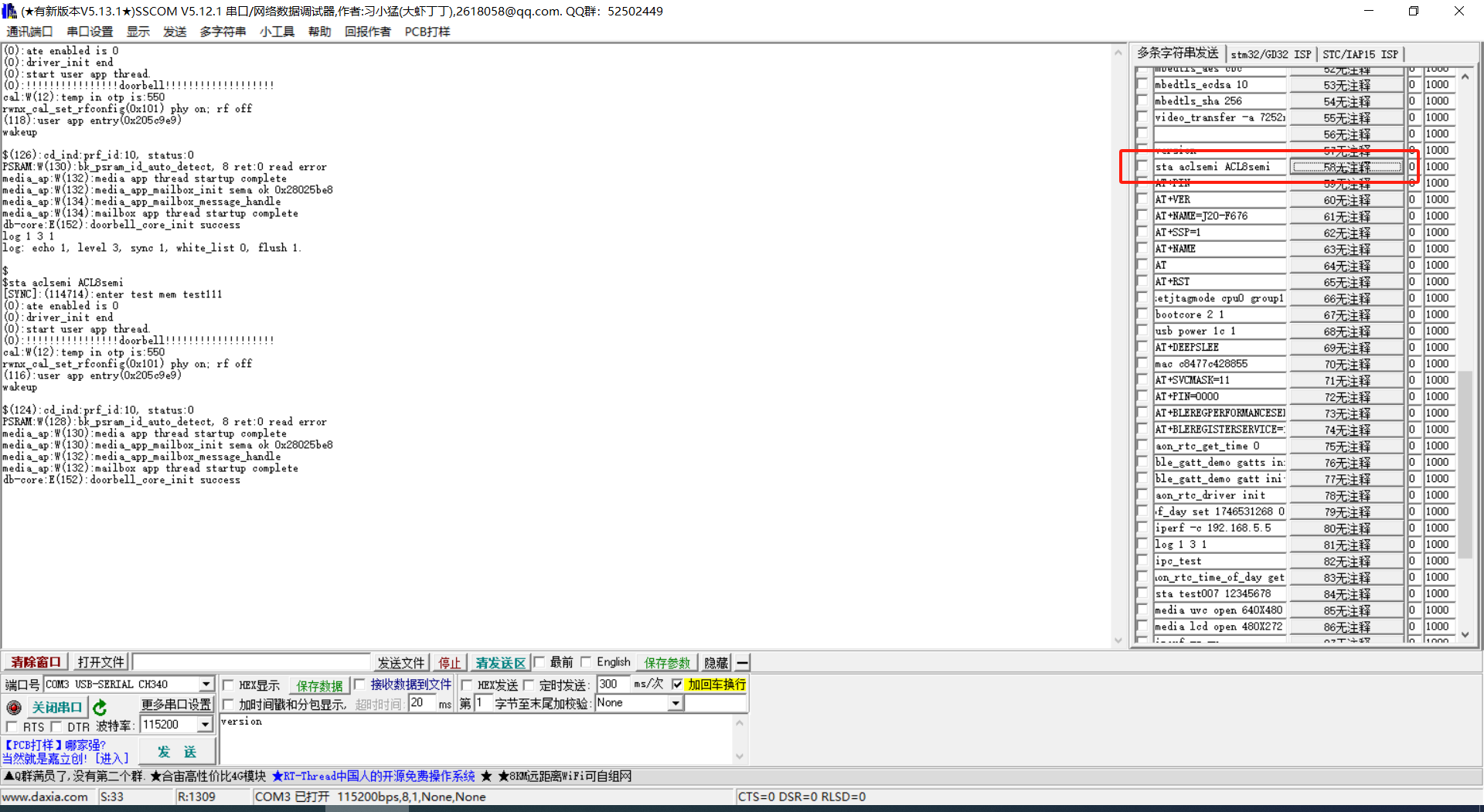
  • Click ‘Resume’ to continue running the program. Run the error code, as I did in the sta command, and add error code

BK7258 JLink configuration

Figure 4

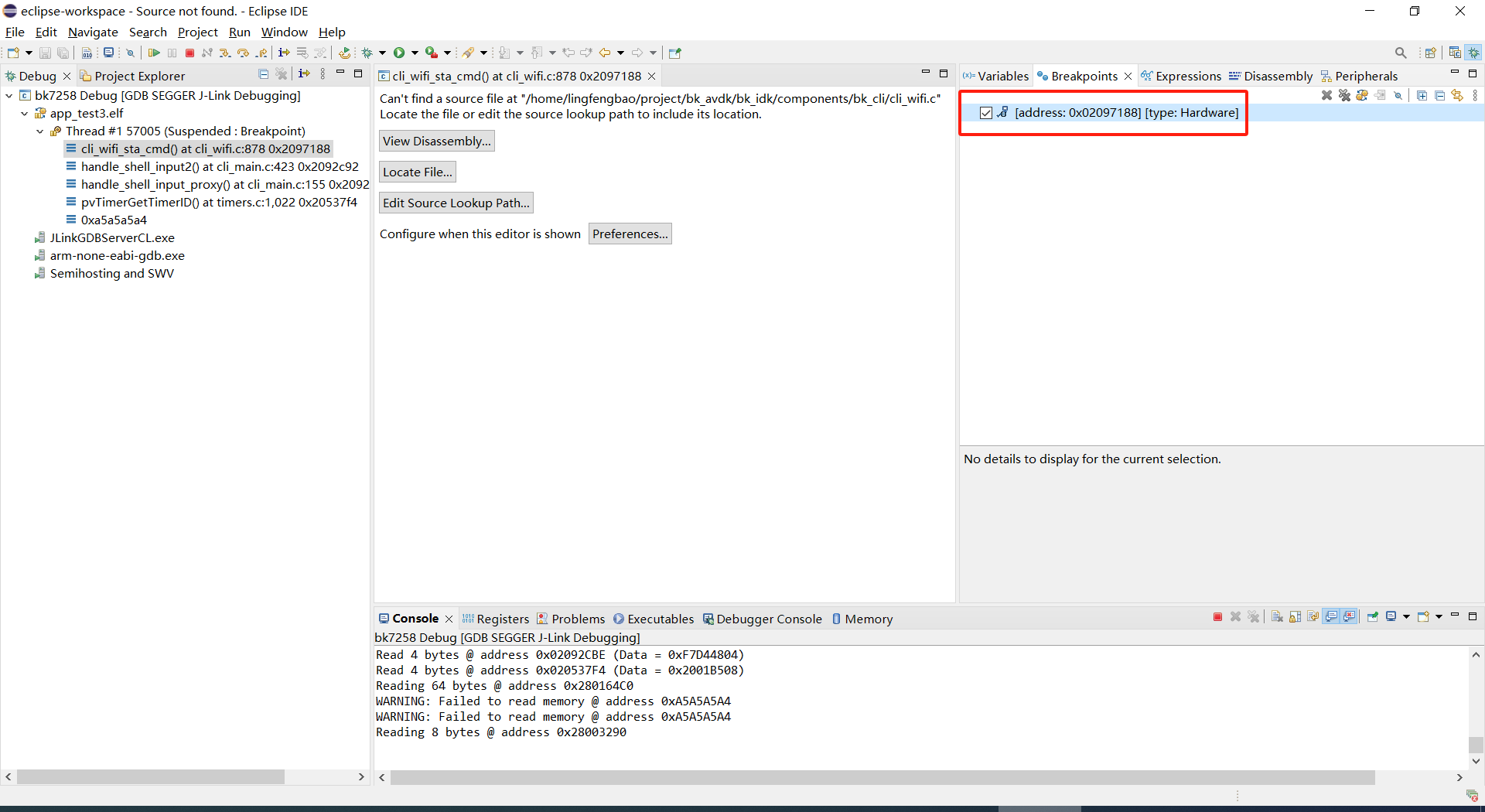
-The program stops at the breakpoint.

BK7258 JLink configuration

Figure 5

Armino platform abnormal dump one-click recovery on-site tool

  • Please refer to the usage documentation in the publishing tool: https://dl.bekencorp.com/tools/Debug_tool/BK7258-debug.zip

  • BK7258 dump tool FAQ:

    • The dump function of Release version is turned off by default and can be turned on through CONFIG_DUMP_ENABLE configuration

    • The current architecture uses the cp+ap mode, and the dump function can be enabled by modifying the config files of both.

    • The principle of the Dump tool to restore the scene is that the script analyzes the log, parses out the contents of regs, itcm, dtcm, and sram, and then restores these contents to the qemu virtual machine through gdb

    • Log file suffix supports txt, log, DAT

    • Log file encoding currently only supports utf-8, other encoding formats can be manually converted to utf-8 encoding format through notepad++

    • If there are multiple Logs in the tool directory, or there are multiple Dumps in the Log, the tool will analyze the last Dump. You need to ensure that there is only one Log in the tool directory, and there is only one dump in the Log.

    • The Dump tool can automatically remove regular timestamps in the log: [2024-02-03 14:35:13.375193]. If you encounter irregular timestamps, you need to remove them manually.

    • If two exceptions occur during the dump process, a common example is when detecting memory out of bounds and encountering Assert, the register will be printed one more time. The second register printing needs to be deleted during parsing.

    • BK7258 Any CPU Dump will dump all the registers of the current CPU, itcm, dtcm, and 640k sram.

    • By default, the Log and Dump of BK7258 CP are output through UART0

    • By default, the Log and Dump of AP are sent to CP through MAILBOX and then output through UART0

    • If you encounter multiple CPUs dumping at the same time during the Dump process, you need to split the Log into two dump files, and use the elf of CP and AP to restore the scene.

    • Each CPU needs the registers of the current CPU, itcm, dtcm, sram plus elf to restore the scene

      Register format:

      CPU1 Current regs: =========> CPU1 indicates that the current register is the register where cpu1 has an exception.
      0 r0 x 0x0
      1 r1 x 0x28061ca0
      2 r2 x 0x0
      3 r3 x 0x8061ca0
      4 r4 x 0x28061d74
      5 r5 x 0x28061d70
      6 r6 x 0x28085a90
      7 r7 x 0x28061de4
      8 r8 x 0x8080808
      9 r9 x 0x9090909
      10 r10 x 0x10101010
      11 r11 x 0x11111111
      12 r12 x 0x1
      14 sp x 0x20000928
      15lr x 0x21ec909
      16 pc x 0x21ec8fa
      17 xpsr x 0x61000000
      18 msp x 0x2808ff48
      19 psp x 0x20000908
      20 primask x 0x0
      21baseprix0x0
      22 faultmask x 0x0
      23fpscrx0x0
      30 CPU1 xPSR x 0x4
      31LR x 0xffffffffd
      32 control x 0xc
      40 MMFAR x 0x8061ca0
      41 BFAR x 0x8061ca0
      42CFSR x 0x82
      43 HFSR x 0x0
      MemFault =========> The initial exception reason is memory access exception
      

      dtcm format:

      >>>>stack mem dump begin, stack_top=20000000, stack end=20004000
      <<<<stack mem dump end. stack_top=20000000, stack end=20004000
      

      itcm format:

      >>>>stack mem dump begin, stack_top=00000020, stack end=00004000
      <<<<stack mem dump end. stack_top=00000020, stack end=00004000
      

      sram format:

      >>>>stack mem dump begin, stack_top=28040000, stack end=28060000
      <<<<stack mem dump end. stack_top=28040000, stack end=28060000
      
      >>>>stack mem dump begin, stack_top=28060000, stack end=280a0000
      <<<<stack mem dump end. stack_top=28060000, stack end=280a0000
      
      >>>>stack mem dump begin, stack_top=28000000, stack end=28010000
      <<<<stack mem dump end. stack_top=28000000, stack end=28010000
      
      >>>>stack mem dump begin, stack_top=28010000, stack end=28020000
      <<<<stack mem dump end. stack_top=28010000, stack end=28020000
      
      >>>>stack mem dump begin, stack_top=28020000, stack end=28040000
      <<<<stack mem dump end. stack_top=28020000, stack end=28040000
      
    • When the system turns on CONFIG_MEM_DEBUG, the Dump process will print out all the Heap memory currently used by the system and check whether there is any memory out of bounds:

      tick addr size line func task
      -------- ---------- ---- ----- ----------------------- --------------------------
      6976 0x28064b68 80 425 xQueueGenericCreate media_ui_task
      6976 0x28064be0 80 425 xQueueGenericCreate media_ui_task
      6976 0x28064c58 160 425 xQueueGenericCreate media_ui_task
      6976 0x28064d20 1024 863 xTaskCreate_ex media_ui_task
      6976 0x28065148 104 868 xTaskCreate_ex media_ui_task
      6976 0x2807d098 80 425 xQueueGenericCreate transfer_major_task
      6976 0x2807d110 80 425 xQueueGenericCreate transfer_major_task
      
    • Under normal circumstances, task-related information will also be dumped to the log for reference during problem analysis.

analysis of stability issues of Armino platform BK7258 system

Embedded stability problems are a common but difficult to locate problem, which have the following characteristics:

  • Unpredictability:The time point of system failure is not fixed and difficult to predict. It may occur suddenly after a long period of operation.

  • Diversity:problems can appear in many forms such as crashes,freezes,lags or erroneous behavior.

  • Cumulative effect:The longer the system runs,problems such as resource leakage or data corruption may accumulate,eventually leading to a crash.

  • Environmental dependence:stability may also be affected by environmental factors such as temperature, humidity and power supply ripple.

In order to help users better locate stability problems,the following linked documents provide common analysis methods.

Note

This document only addresses stability issues caused by the software. It is recommended that users refer to this document first when encountering stability issues.
  • Documentation download link

  • Document content description:

    • This article introduces tools related to system debugging,please refer to : system debugging

    • The article lists various secnarios in which the system may be abnormal

    • The article also lists some classic analysis cases of stability problems and related debugging codes.