字库生成
1、功能概述
本文档主要介绍OSD中所用到的字库生成以及在代码中的适配。
2、参考路径
OSD参考代码在
components/bk_draw_blend和components/display_service/src/lcd_draw_blend.c
3、字库生成
字库定义路径在
../components/bk_draw_blend/string.c
#if FONT_ANTI4BPP_BLACK24
………
#endif
字库的头文件声明路径
../bk_idk/include/modules/lcd_font.h字库生成的工具:FontCvt.exe

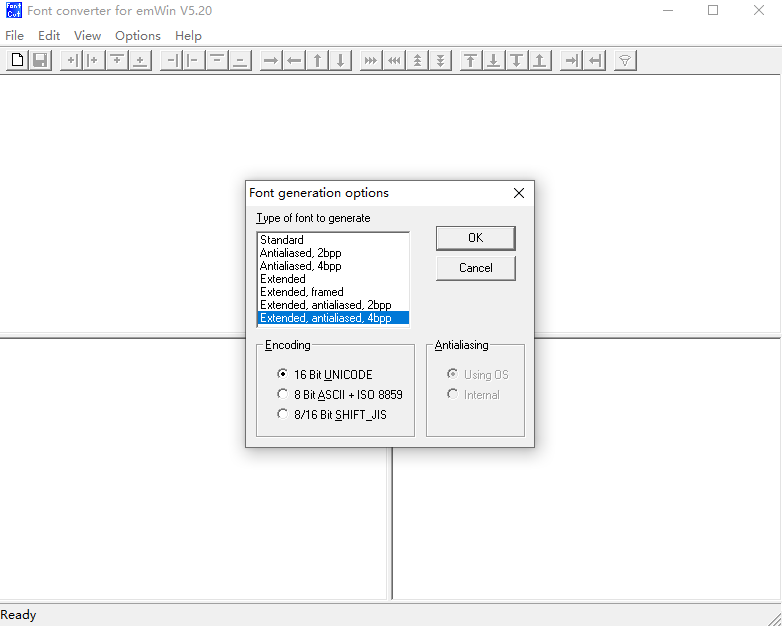
双击打开FomtCvt.exe,出现下面界面:默认选择Extended,antialiased,4bpp,点击OK
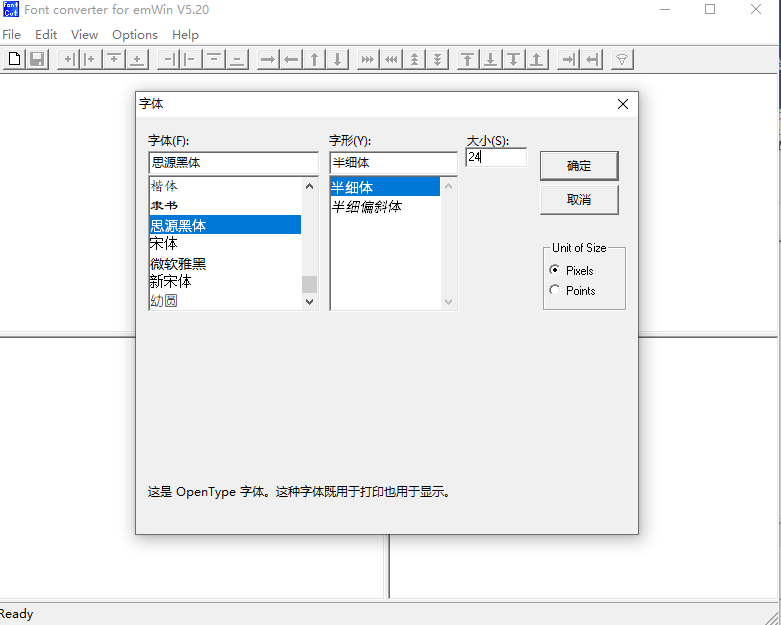
出现下面的弹框,根据自己需求去修改字体、字形或者字体大小。
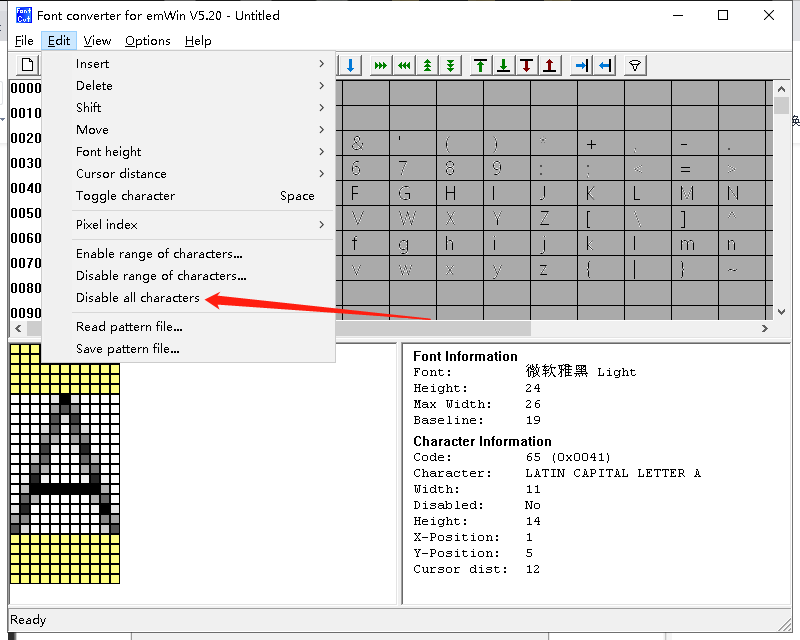
选择菜单栏的edit选项,选择展开的“Disable all characters”选项
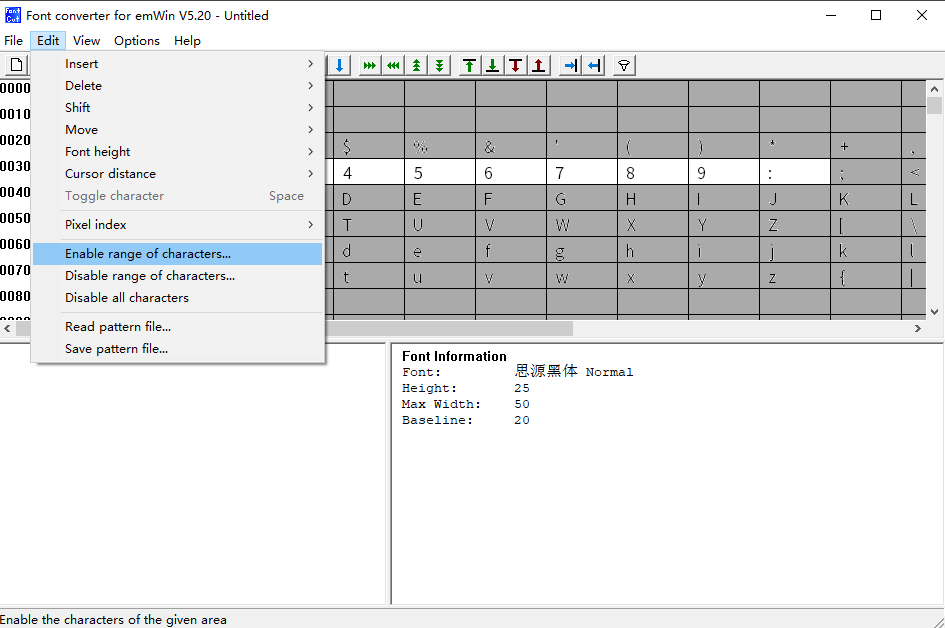
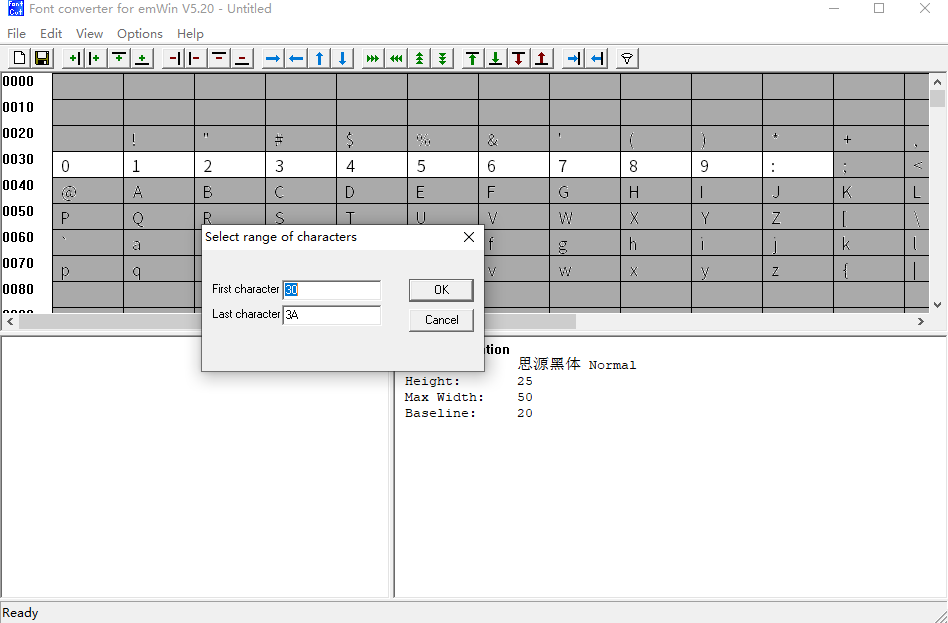
选择“enable range of characters”选项,选择特定的汉字
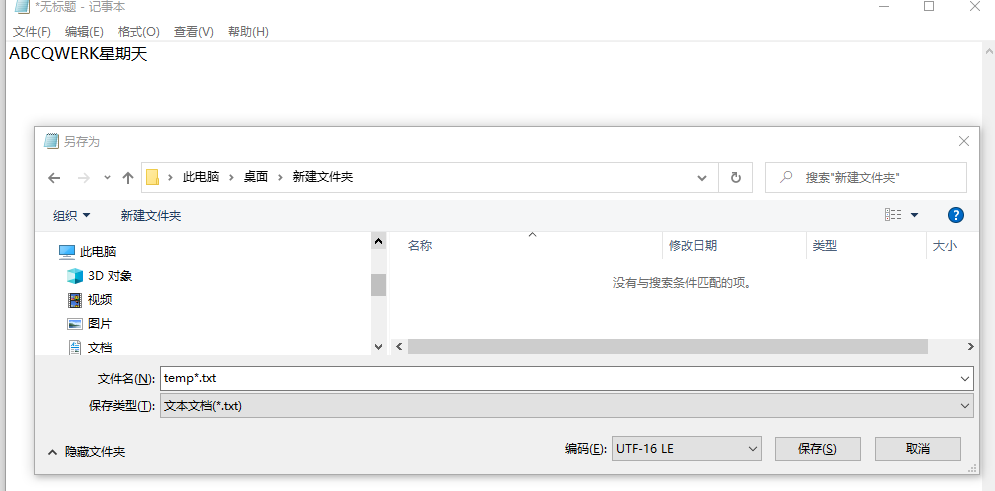
8) 或者将第7步使用下面的方式,这种方式更加便捷简单 打开记事本将所需的字另存为unicode编码格式:
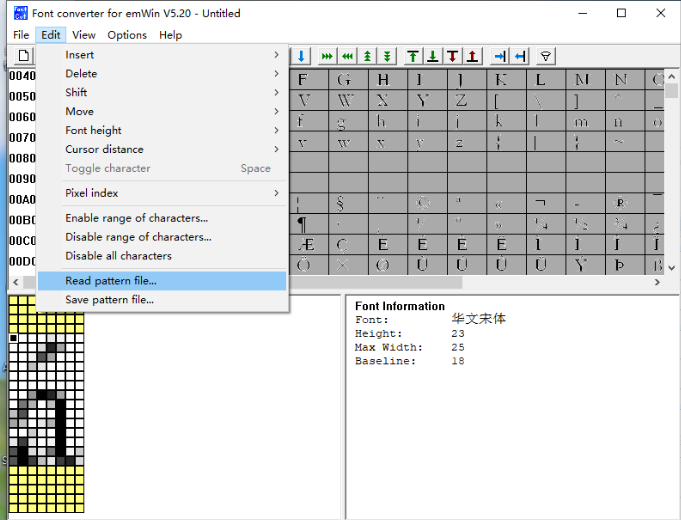
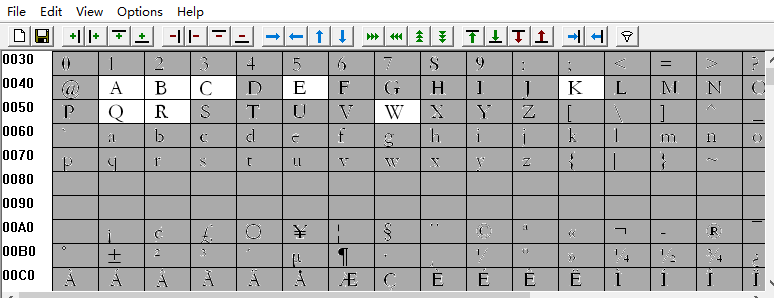
然后读入刚才的temp.txt文件
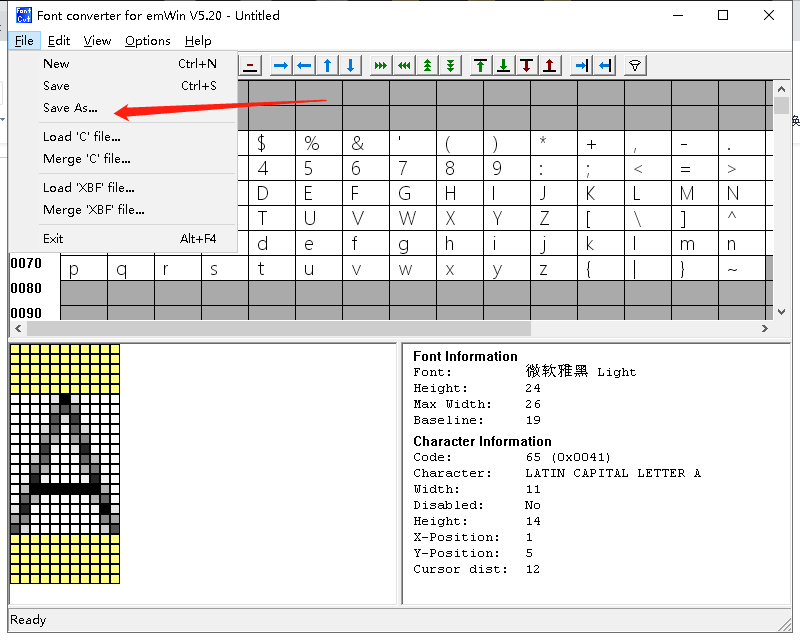
选择菜单栏的File选项,选择展开的“Save AS”选项, 把生成的c文另存为,注意文件名字改成英文
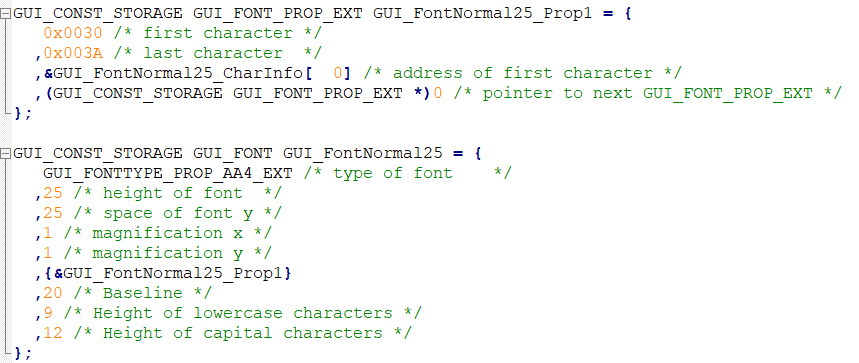
用编译器打开该C文件,去掉下图的部分
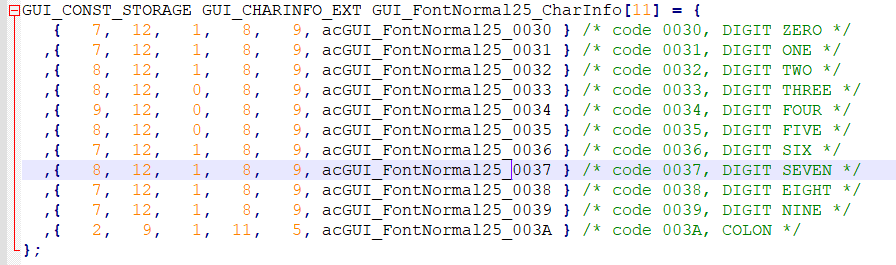
将剩余的拷贝到string.c中
参考其他的字体,将文件修改完善
GUI_CONST_STORAGE gui_font_digit_struct GUI_Fontnoanti_newsong48_CharInfo[95] = {

        {1, 1, 24,  34,   0,  0,   24, NULL} //the first must 1.

        ,{ 0x002E, 1, 6,   6,   3,      35, 24, acGUI_Fontnoanti_newsong48_002E } /* code 002E, FULL STOP */
        ,{ 0x0030, 1,20,  33,   2,      8,      24, acGUI_Fontnoanti_newsong48_0030 } /* code 0030, DIGIT ZERO */
        ,{ 0x0031, 1,13,  33,   6,      8,      24, acGUI_Fontnoanti_newsong48_0031 } /* code 0031, DIGIT ONE */
        ,{ 0x0032, 1,19,  33,   2,      8,      24, acGUI_Fontnoanti_newsong48_0032 } /* code 0032, DIGIT TWO */
        ,{ 0x0033, 1,18,  33,   3,      8,      24, acGUI_Fontnoanti_newsong48_0033 } /* code 0033, DIGIT THREE */
        ,{ 0x0034, 1,20,  33,   2,      8,      24, acGUI_Fontnoanti_newsong48_0034 } /* code 0034, DIGIT FOUR */
        ,{ 0x0035, 1,18,  33,   3,      8,      24, acGUI_Fontnoanti_newsong48_0035 } /* code 0035, DIGIT FIVE */
        ,{ 0x0036, 1,20,  33,   2,      8,      24, acGUI_Fontnoanti_newsong48_0036 } /* code 0036, DIGIT SIX */
        ,{ 0x0037, 1,18,  33,   3,      8,      24, acGUI_Fontnoanti_newsong48_0037 } /* code 0037, DIGIT SEVEN */
        ,{ 0x0038, 1,19,  33,   2,      8,      24, acGUI_Fontnoanti_newsong48_0038 } /* code 0038, DIGIT EIGHT */
        ,{ 0x0039, 1,19,  33,   2,      8,      24, acGUI_Fontnoanti_newsong48_0039 } /* code 0039, DIGIT NINE */
        ,{ 0x003A, 1, 5,  23,   9,      18, 24, acGUI_Fontnoanti_newsong48_003A } /* code 003A, COLON */

        ,{ 0x0056, 1,22,  33,   1,      8,      24, acGUI_Fontnoanti_newsong48_0056 } /* code 0056, LATIN CAPITAL LETTER V */
        ,{ 0x004C, 1,20,  33,   2,      8,      24, acGUI_Fontnoanti_newsong48_004C } /* code 004C, LATIN CAPITAL LETTER L */

        ,{0, 1, 24,  34,   0,  0,   24, NULL} //the end must 0.
};
在刚才的字体文件中补全数组的第一行和最后一行,注意补全下方红色边框框出的逗号
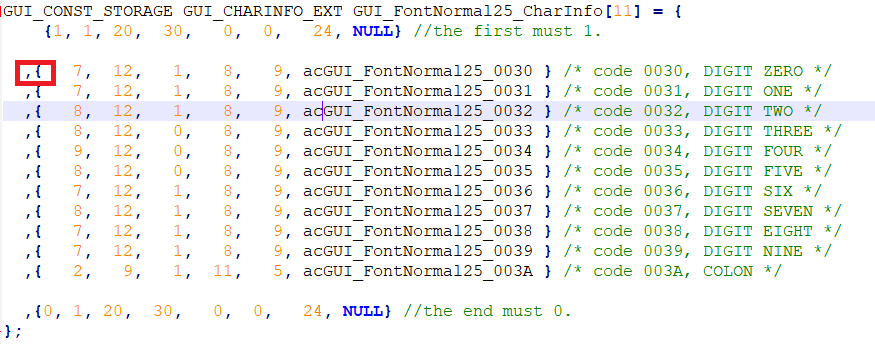
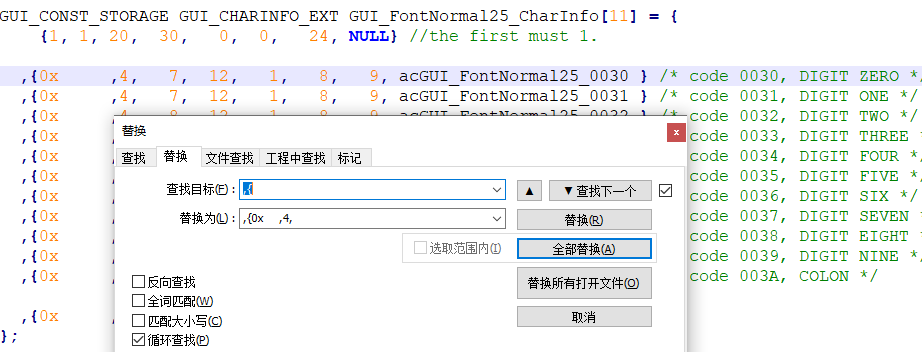
需要对文件进行如下的替换操作,下图中指向部分填充4个空格,选全部替换。
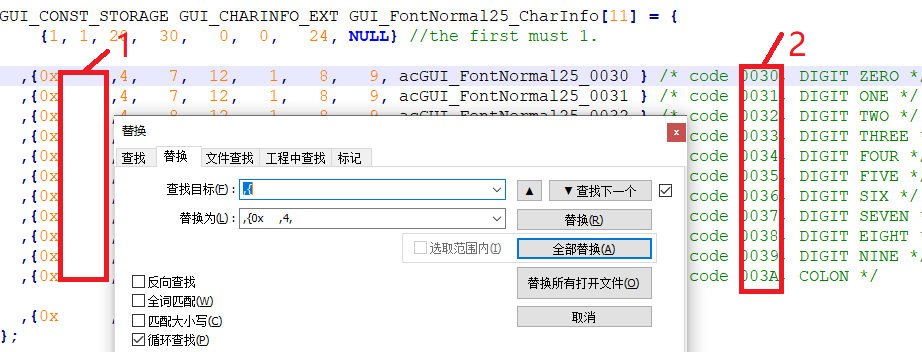
在将下图中红色框2中所有选择部分填充到前面红色框1处,可用Alt+左键,进行竖向选择。
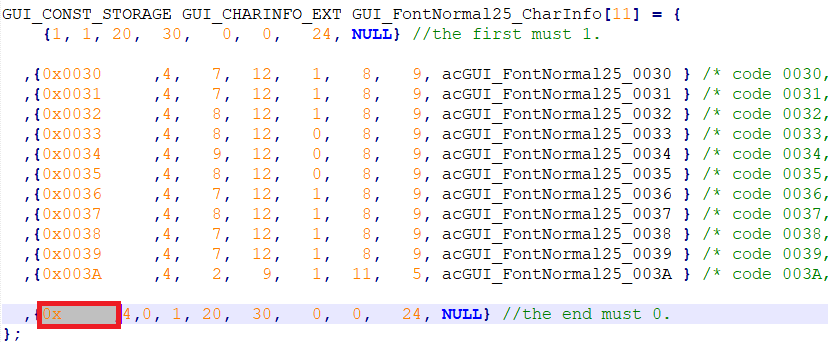
替换操作后,需要去掉下图中圈出的参数。
最后,声明字库
#if FONT_NOANTI_NEWSONG42
extern const gui_font_digit_struct *const font_noanti_newsong42;
#endif
备注
如何确认生成字库的尺寸? 字库的结构体中是如下定义的:
typedef struct
{
        const unsigned short value;
        const unsigned char bit_point; //every point user bit.
        const unsigned char x_size;
        const unsigned char y_size;
        const signed char x_pos;
        const signed char y_pos;
        const unsigned char width;
        const unsigned char *const data;
}gui_font_digit_struct;
所以,字符的高度最大是用工具生成的最大像素,比如按48pixel生成的汉字,最大高度为48,实际是字符高度加上y_pos, 但是结构体中没有字符高度的表示,用户只能在工具中看到。 每个字符的宽度是结构体中的width,但是还需要加上x_pos。 所以,在做OSD中确定字符串的长宽一般是(最大宽度,最大高度), 但是可能以适当减小,只要满足实际长宽加坐标偏移量即可。